


How to Track Your Fleet in Real Time (Step-by-Step Guide)
Key Takeaways
-
01 Real-time fleet tracking updates every vehicle's live location every 5-30 seconds.
-
02 OBD plug-in, hardwired and battery-powered trackers cover every fleet type.
-
03 Most fleets under 25 vehicles are fully live and tracking within one workday.
-
04 Geofencing and idle time alerts deliver the fastest ROI after go-live.
-
05 GPS fleet tracking reduced average fuel costs by 16% in 2025, nearly double 2024.
-
06 Nearly half of fleets that implement GPS tracking achieve positive ROI within one year.
How to Track Your Fleet in Real Time and Monitor Every Vehicle Live
Wondering how to track your fleet in real time, without calling every driver to find out where they are?
I get it. I've been on the phone with fleet owners who were doing exactly that. Ten trucks on the road with zero visibility, and a dispatcher juggling sticky notes trying to figure out who's closest to the next job and it’s exhausting and completely avoidable. You can't manage what you can't see and if you're running a fleet without real-time tracking, you're flying blind every single day.
Good news is getting your whole fleet live on a map is DAMM simple. You pick the right GPS device for your vehicle type, install it, configure your dashboard and alerts, loop in your drivers, and boom you're live.
Most fleets are fully up and tracking within a single workday and sometimes less. This guide walks you through every step of that process from device selection, installation, dashboard setup to what you should actually watch daily, and the kind of real savings you can expect in your first 90 days.
First up, how the technology actually works. Once you understand that, everything else clicks into place.
What Is Real-Time Fleet Tracking and How Does It Actually Work?
Real-time fleet tracking is a system that shows you exactly where every vehicle in your fleet is, live, on a map right now. Not where they were 20 minutes ago or an end-of-day report. A GPS device in each vehicle locks onto its position using satellites, transmits that location over a 4G LTE cellular network, and pushes it to a cloud-based dashboard you can pull up on your phone or computer. Updates hit every 3 to 30 seconds depending on the system you're running.

I've tested systems on both ends of that range. The difference between a 3-second update and a 2-minute lag sounds small on paper. But in real dispatching situations, real-time tracking is the difference between rerouting a driver before he hits the traffic and finding out he was stuck in it an hour ago. For active fleet management, faster is always better.
Curious how that location data actually gets from your truck to your phone screen? The process is simpler than you'd think. Let’s see.
How the Data Moves From Your Vehicle to Your Screen
Your vehicle's location gets to your screen through a three-step chain, the GPS device calculates position, the cellular network carries it, and your fleet tracking software displays it live.
I always tell fleet owners to think of it like a text message your truck sends every 10 seconds. The tracking system knows where it is, it sends that info, you see it. That's the whole loop.
The process works like this:
- GPS device locks position: The tracker in your vehicle picks up signals from multiple satellites and calculates its exact location, accurate to within 3-10 feet under open sky.
- Data gets packaged: Along with location, the device bundles speed, heading, and available vehicle diagnostic data into a single transmission.
- Sent over 4G LTE: That data packet travels over a cellular network to a cloud server and this is the same technology your phone uses.
- Server processes it: The cloud software interprets the data and updates your dashboard map in near-instant time.
- You see it live: The whole loop from device to your screen, completes in under a few seconds on a solid connection.
Also for fleet tracking something worth knowing is telematics. A telematics system combines GPS location with vehicle diagnostics, driver behavior, and fuel data in one stream. Most modern fleet trackers are telematics devices, so you're getting a lot more than just a dot on a map.
In rural areas where cellular signal drops, better systems fall back to satellite transmission automatically, so your coverage doesn't disappear just because your driver does.
How to Choose the Right GPS Fleet Tracking Device for Your Fleet

The right device depends on your vehicle type, how permanent you want the install, and what data you actually need day to day. Choosing the wrong one and you're either re-installing hardware across 20 trucks or dealing with a device that doesn't fit how your operation runs. Because not all GPS trackers are built the same and for fleet use, that difference becomes more important than most people realize.
Three device types cover virtually every fleet scenario. Take a look at how they stack up, and the right one for your fleet will become obvious.
GPS Tracker Types: Quick Comparison
| Device Type | Best For | Install Time | Power Source | Key Benefit |
|---|---|---|---|---|
| OBD-II Plug-In | Vans, cars, light pickups | Under 5 min | Vehicle's OBD port | Swap between vehicles instantly |
| Hardwired | Trucks, heavy equipment, box trucks | 20-45 min | Direct vehicle wiring | Tamper-resistant, always powered |
| Battery-Powered | Trailers, containers, job-site assets | Under 5 min | Internal battery | No power source needed |
1. OBD-II Plug-In Trackers: Best for Vans and Light Fleets

The OBD-II plug-in tracker goes directly into the diagnostic port under your dashboard (the same port a mechanic plugs into for engine codes).
Most drivers can install one themselves in under 5 minutes because it can be installed without any wiring, tools, or technicians needed. On top of location, these pull real vehicle diagnostic data like engine health, fault codes, idle time, all straight from the vehicle's computer. For a fleet of service vans or delivery vehicles where drivers swap trucks regularly, plug-in trackers are the practical choice.
I've deployed these on rental fleets where vehicles rotated between drivers every few days. Pulling a tracker out of one van and plugging it into another takes about 30 seconds. For that type of operation, hardwiring makes no sense.
2. Hardwired GPS Trackers: Best for Trucks and Heavy Equipment

Hardwired trackers connect directly to your vehicle's power supply and are wired in behind the dash, out of sight. They draw continuous power, run whether the ignition is on or off, and can't be pulled out by a driver who doesn't want to be tracked. For semi-trucks, box trucks, and construction equipment, this is the right call.
The installation takes 20 to 45 minutes per vehicle and a technician or a mechanically capable fleet manager can handle it but once it's in, it's in.
3. Battery-Powered Trackers: Best for Trailers and Off-Grid Assets

Battery-powered trackers don't need a vehicle power source at all. They run on an internal battery, mount magnetically or screwed, and tuck anywhere on a trailer frame, container, or piece of equipment sitting in a yard.
I use these on job-site trailers regularly. Park one on a construction site for three weeks, get a ping if it moves overnight, retrieve it when the job wraps. Simple, effective, and without installation headaches. Still, for vehicles that run daily routes and need live tracking, battery-powered units may not be the right fit because they need charging.
If you're still deciding which tracker fits your setup, take a closer look at the different types available. Each one solves a different problem depending on how your fleet operates. 👉 Types of GPS Trackers (2026 Guide): Find the Best for Your Needs
Now that you know which device fits your fleet, the next step is getting everything installed, configured, and live, which is where most fleet owners have questions.
How to Set Up Your Real-Time Fleet Tracking System (Step-by-Step)

Most fleet owners assume the setup process is complicated but it's not. From unboxing your first tracker to watching your vehicles move live on a map, the whole thing breaks down into five straightforward steps, and most fleets are fully live within a single workday.
Before anything else though, a quick 2-minute check saves you a headache down the road.
What You Need Before You Start
Before you buy a single device, spend two minutes on this. I've seen fleet owners skip this part, order the wrong hardware, and spend a Friday afternoon returning equipment. You should learn from their Friday.
Run through these four things first:
- Vehicle count and types: Know exactly how many vehicles you're equipping and whether they're vans, trucks, trailers, or a mix. This determines which device types you need and how many.
- Cellular coverage in your operating area: GPS trackers rely on 4G LTE to transmit data. If your fleet runs through rural dead zones regularly, confirm your chosen system supports satellite fallback.
- Budget range: Hardware costs vary from around $30 to $250 per device. Monthly subscription plans typically run $10 to $60 per vehicle depending on features.
- A smartphone or desktop: You'll need one to complete account setup, configure your dashboard, and receive alerts from day one.
Skip this checklist and you'll end up answering these questions anyway, just at a more inconvenient time, like when your installer is standing there waiting.
Step 1: Choose Your GPS Fleet Tracker
Before anything gets installed, you need the right device in hand for each vehicle type in your fleet. If you went through the device section above, you've already got this figured out. OBD-II plug-in for vans and light vehicles, hardwired for trucks and heavy equipment, battery-powered for trailers and off-grid assets. Mix and match across your fleet if you're running different vehicle types and that's completely normal.
One thing to confirm before you order, just make sure the tracker you choose is compatible with a simple and easy to use software. Most modern systems provide neat and clean software, but it's worth a two-minute check on the software's compatibility page before you hit buy.
Step 2: Install Your GPS Devices Across the Fleet

Installation is faster than most people expect. For a fleet under 25 vehicles, one workday covers it comfortably.
- OBD-II plug-in: Locate the OBD port under the dashboard on the driver's side (usually within a foot of the steering column). Plug in the tracker and done. The device powers on automatically and starts transmitting within minutes.
- Hardwired: Connect to a constant power wire and an ignition wire behind the dash. Tuck the unit out of sight. A mechanically capable fleet manager can handle this or hire a specialist.
- Battery-powered / magnetic: Find a clean metal surface on the trailer frame or asset body, away from direct water exposure. Mount magnetically and confirm the device is registering on your dashboard before moving to the next unit.
One practical tip, activate each device on your dashboard as you install it, not after you've finished the whole fleet. Catching a faulty unit or a configuration issue on vehicle three is a lot easier than troubleshooting 20 devices at once after the fact.
If you want a more detailed walkthrough for your specific vehicle type, this guide breaks down the exact installation steps from start to finish. 👉 How to Install a GPS Tracker On My Vehicle
Step 3: Configure Your Dashboard and Set Up Alerts
Most people rush this step. I get why, the trackers are in, everything's connected, and you just want to see it live. The temptation is to hit go and figure out alerts later.
Don't do that. This step determines how much value you actually get out of the system on day one.

Start with geofencing. A geofence is a virtual boundary you draw on a map like around a job site, your depot, a customer's facility. The moment a vehicle crosses that line, you get an alert. When I set up geofences around six job sites for a 12-vehicle HVAC fleet in Texas, unauthorized vehicle use dropped to zero within the first month. The alerts did the work automatically, I didn't have to monitor anything manually.
After geofencing, set these up at minimum:
- Geofence zones: Job sites, depot, and any restricted areas
- Speed alerts: 10 mph over the posted limit is a solid trigger for service vans in urban areas
- Idle time alerts: Start at 5 minutes. Drop to 3 if fuel waste is a priority concern
- Harsh driving alerts: Flags sudden braking and rapid acceleration. Useful for coaching, not just catching problems
- After-hours movement: Any vehicle moving outside your operating hours triggers an immediate alert
First time through, budget about an hour for a 10-vehicle fleet. Once you know the system, 45 minutes covers it.
Step 4: Brief Your Drivers Before You Go Live
Skip this step and you'll spend the first two weeks answering angry questions from drivers who feel like they're being watched. Do it right and most pushback disappears before it starts.

Be direct with your team. Tell them what data the system collects like location, speed, idle time, trip history. Tell them how you plan to use it for better dispatching, faster response, fairer workload distribution. Frame it as a tool that helps them do their jobs, not a surveillance system watching their every move.
Driver buy-in is important for data quality too. A driver who understands the system works with it. One who doesn't find ways around it or just unplugs it.
A practical point on compliance: If your fleet operates across state lines or falls under FMCSA regulations, GPS tracking data intersects with driver hours of service requirements. Review your obligations with your compliance officer before go-live, particularly around electronic logging device rules.
Step 5: Monitor, Review, and Act on Your Data
A lot of fleet owners get the system live and then check it obsessively for the first three days and then barely look at it after that. I've seen it happen more times than I can count. The trackers are doing their job, but nobody's actually reading what they're saying.
The data is only useful if you act on it. Build a simple routine and it takes less time than your morning coffee.

Daily, check these every morning:
- Random check live map of any vehicles showing offline or in unexpected locations overnight.
- Active alerts from the previous 24 hours for speeding events, geofence violations, after-hours movement.
- Any vehicles flagged with maintenance alerts or OBD fault codes.
Weekly, pull these every Monday:
- Idle time report per driver to see who's running the engine longest without moving
- Fuel usage tracking to compare week over week, flag outliers
- Harsh driving events to identify patterns, not just individual incidents
- Trip history logs to verify routes, confirm job completions, catch route inefficiencies
- Driver comparison report for side by side performance across your team
I spend about 10 minutes every Monday morning on the weekly report. The real patterns live in that data, the driver idling 40 minutes a day, the route adding 15 unnecessary miles, the vehicle throwing the same fault code for three weeks straight. Ten minutes, and I know exactly where to focus that week.
In Short: Setting up real-time fleet tracking comes down to five steps: choose your device, install it, configure your alerts, brief your drivers, then monitor and act on the data consistently. Most fleets fully live within one workday. The install is the easy part. Building the habit of reviewing your data weekly is where the real savings show up.
One more piece of the puzzle, once your fleet is live, knowing what to actually read on your dashboard turns data into decisions. Up next, how to actually read what your dashboard is telling you.
How to Read Your Fleet Monitoring System Dashboard in Real Time
Your fleet monitoring dashboard shows you six core data points in real time live vehicle location, speed alerts, idle time, geofence status, driver behavior flags, and vehicle health indicators. Focus on those six and you have full operational visibility across your entire fleet.

Most fleet owners log into their dashboard for the first time and feel like they're looking at an airplane cockpit. A lot of data, a lot of numbers, and not immediately obvious what to actually pay attention to. I've onboarded dozens of fleet managers onto new tracking systems over the years. The ones who get value fast are the ones who know which six data points to focus on and ignore everything else until they've got those dialed in.
What Are the 6 Data Points Your Dashboard Should Show Right Now?
Your fleet monitoring system dashboard should give you a clear, real-time picture of your entire operation at a glance. If you're squinting at your screen trying to figure out what's going on, the system isn't configured right or you're looking at the wrong things.
Focus on these six first:
- Live vehicle location: Every vehicle color-coded by current status: moving, idle, stopped, or after-hours. A quick scan tells you the whole story in under 10 seconds
- Current speed and speed alerts: Any vehicle flagged red is exceeding your set threshold right now. Don't wait for a weekly report to address it
- Idle time per vehicle: Shows today's running total per driver. The number that surprises most fleet owners the first time they see it
- Active geofence status: Which vehicles are inside their assigned zones and which aren't. Green means where they should be, anything else means a question worth asking
- Driver behavior flags: Harsh braking, rapid acceleration, aggressive cornering events logged in real time. One event isn't a pattern. Three in a week is a conversation
- Vehicle health indicators: OBD fault codes and maintenance due alerts. A vehicle throwing a check engine code that nobody mentioned is a common find on day one
If your dashboard doesn't show idle time and geofence status at a glance, in my opinion that's a weak system. Those two data points alone recover more money than anything else on that screen.
How Do You Use Your Fleet's Trip History Data?
Trip history is the part of your dashboard most fleet owners underuse. Every completed trip is logged, start address, end address, total miles driven, drive time, idle time per stop, speed events, and route taken. All of it sits there, searchable, for at least 90 days on any decent system.
I use trip history for three things more than anything else.

1. Dispute resolution: A client once called disputing whether one of my client's drivers had actually completed a delivery. Pulled the trip history, showed the GPS coordinates at the delivery address with an exact timestamp down to the minute. The call ended in about 90 seconds.
2. Payroll verification: Cross-referencing trip logs against timesheets catches discrepancies fast. A driver clocking out at 5 p.m. whose last trip ended at 3:45 p.m. is a conversation worth having.
3. Route efficiency: Compare the route your driver actually took against the optimal route. A 15-mile detour that happens once is probably traffic. One that happens every Tuesday is a habit worth correcting.
The bottom line is that trip history is your best evidence when something needs to be verified, disputed, or improved, not just a record of what happened. Once you can read your dashboard confidently, the natural next question is what all of this is actually worth in real dollars. The numbers are more concrete than most people expect.
How Much Does Real-Time Fleet Tracking Actually Save You?
Real-time fleet tracking cuts fuel costs by 15 to 25%, recovers lost productive driver time, and delivers positive ROI for most fleets within 90 days. The savings come from three areas: fuel, labor, and faster break-even and each one is measurable from your first month of data.

How Much Can GPS Fleet Tracking Cut Your Fuel Costs?
Fuel is the biggest controllable cost in any fleet and idle time is the single biggest fuel drain most owners don't see until tracking shows it to them.
According to the U.S. Department of Energy's Alternative Fuels Data Center, U.S. commercial vehicles collectively burn more than 6 billion gallons of fuel per year idling without moving an inch. At the individual vehicle level, a medium-duty work truck idles at roughly 0.8 gallons per hour. One driver idling 30 minutes a day, five days a week, burns through nearly 21 gallons a month doing absolutely nothing productive.
GPS fleet tracking fixes this with one alert. Set a 5-minute idle threshold, and the system notifies you the moment a driver crosses it.
I've seen fleets cut idle-related fuel waste by 20% or more within the first 30 days and just from that single alert. Beyond idle time, route inefficiencies quietly add miles that nobody notices without data. Optimized routing alone can reduce fuel costs by up to 20%.
Run those two fixes together, idle reduction and route cleanup and most fleets land comfortably in the 15 to 25% fuel savings range.
Quick Math: 10-Truck Fleet Annual Savings
Based on 30 min/day idle reduction + 5% fuel saving from route optimization
| Scenario | Numbers | Annual Saving |
|---|---|---|
|
Idle Reduction (30 min/day/truck)
|
10 trucks × 21 gal/mo × $4/gal | ~$10,080/yr |
|
Route Optimization (5% fuel reduction)
|
10 trucks × $500/mo fuel × 5% | ~$3,000/yr |
|
Combined Saving
|
10 trucks, both fixes applied | ~$13,080/yr |
A basic 10-vehicle tracking plan runs roughly $100 to $150 per month. The fuel saving alone covers that cost many times over.
See exactly how much real-time tracking could save your fleet with fuel, labor, and more. Try the free ROI calculator Now →
You know how the system works, which device to use, how to set it up, and what it saves you. One practical question left, what should you actually look for when choosing your fleet tracking software?
What Features Should You Look For in Fleet Tracking Systems?

Good fleet tracking software shows you where your vehicles are, how your drivers are performing, and where your money is going and the best part is all from one dashboard. The wrong platform gives you a map and not much else. Before you evaluate anything, know what you actually need. For most fleet owners running 5 to 50 vehicles, these are the features that move the needle:
- Real-time location updates,
- Alerts & Geofencing,
- Driver behavior monitoring,
- Idle time alerts,
- Trip history logs,
- Mobile app access,
- And maintenance scheduling.
Those seven cover 90% of what you'll use daily. I've seen fleet owners pay for platforms loaded with features they never touch and miss the ones that actually save them money. Start with these, add more as your operation grows.
Each one is worth understanding properly before you commit to a platform, not just what it does but also why it is needed and what specifically to look for when a vendor is showing you a demo.
1. Real-Time Location Updates
Real-time tracking means your dashboard updates a vehicle’s location as it moves with minimal delay, not minutes later. Simple concept. The problem is some platforms claim live tracking but update every 2-5 minutes, which creates gaps in visibility. So, always ask vendors for the exact update interval. A system updating every 3-10 seconds gives a true live view, while anything slower starts to feel delayed in real-world use.

Real-time location updates are the foundation of any fleet tracking system.
Everything else alerts, geofencing, dispatch decisions, depends on fast, accurate location data. Without it, you're working with a delayed picture of where your fleet actually is. Get the update interval right and the rest of the platform has a solid foundation to work from.
2. Geofencing and Alerts
Geofencing lets you draw a virtual boundary on a map around any location such as a job site, your depot, a customer's property. The moment a vehicle crosses that boundary in either direction, the system fires an alert to your phone or dashboard.
I know it sounds technical. But in practice it's one of the most useful things in your entire setup. On a 12 vehicle operation in Texas, geofencing cut unauthorized after-hours vehicle use to zero within 30 days. Without any confrontations, the alert made the conversation unnecessary before it even started. Before committing to any platform, verify these:
- Custom-shaped zone drawings because real job sites aren't always round
- Entry and exit alerts configurable separately
- After-hours movement alerts tied directly to geofence zones
- No hard cap on the number of zones you can create (some platforms limit this on lower-tier plans)
- Speed alerts, idle alerts, and harsh driving notifications all configurable with your own thresholds
Alerts are only useful if they're actionable. A platform that fires 40 notifications a day trains you to ignore them. Set meaningful thresholds from day one and the system works with you and your fleet.
3. Driver Behavior Monitoring
Driver behavior monitoring tracks how your vehicles are being driven like speeding, harsh braking, rapid acceleration, sharp cornering. Each event gets flagged and logged against the driver who triggered it.

This becomes important for two reasons. The first one is aggressive driving, burns more fuel and accelerates wear on brakes, tires, and engines. And the second one is a liability issue, a driver with a pattern of harsh braking events is statistically more likely to be involved in an incident. The data doesn't lie, and it doesn't require you to be in the vehicle to see what's happening.
The way I use this data isn't to catch people doing something wrong. Pull the weekly report, identify the driver with the most flagged events, and have a data-backed conversation. Most of the time they don't realize they're doing it, and most of the time they fix it once they know.
Good driver behavior monitoring pays for itself in reduced fuel costs and lower insurance premiums. Both show up in your numbers within the first quarter.
4. Idle Time Tracking
Idle time monitoring is the feature most fleet owners underestimate, until they see the first weekly report and realize what's been happening. An idling vehicle burns fuel, wears the engine, and generates zero revenue. The alert is what makes it actionable. Set a 5-minute threshold and the system notifies you the moment a driver crosses it and before it becomes a fuel bill at the end of the month.
Check for these specifically:
- Configurable idle alert threshold so you set the limit, not the platform
- Per-driver idle time breakdown in weekly reports
- Idle time reflected in fuel usage reports, not buried in a separate tab
Most fleets that implement idle alerts see measurable fuel savings within the first 30 days. Idle time monitoring is consistently the fastest-payback feature in the entire system.
5. Trip History

Trip history records every completed drive including start and end points, distance, drive time, idle time, route, and key driving events. Everything should be stored, searchable, and available whenever you need it. The value shows up when you need proof or clarity. A complete log with timestamps and GPS data can resolve delivery disputes in minutes or highlight gaps in driver activity without guesswork.
When reviewing this feature, check for:
- At least 90 days of stored history to track patterns and handle disputes
- Search filters by driver, vehicle, date, or location
- Export options (PDF or CSV) for payroll, compliance, or reports
Trip history stays in the background and most people don't think about trip history until they need it. Then they need it badly.
I've used trip history to settle a customer dispute over whether a delivery was completed, GPS coordinates at the address, exact timestamp, conversation over in 90 seconds. I've also used it to catch a driver clocking out at 5 p.m. with his last job finished at 3:30. All just through data that was already sitting there.
6. Mobile App Access

Mobile app functionality determines how well you can manage your fleet away from your desk. Many platforms offer a strong desktop dashboard but limit features on mobile. That creates delays the moment you’re in the field. A reliable system should give you the same control from your phone as it does on a computer.
Before choosing a platform, check for:
- Full dashboard access on mobile, not a reduced version
- Real-time push alerts delivered directly to your phone
- Stable apps on both iOS and Android with regular updates
If the vendor's demo starts on desktop and never opens the mobile app unprompted, ask to see it. The reaction tells you everything.
I've passed on otherwise solid platforms specifically because the mobile app was too limited for real field use. A system you can only fully manage from a desktop is a system that slows you down the moment you step away from it.
7. Maintenance Scheduling
Preventive maintenance scheduling isn't the most exciting feature on a fleet tracking platform but a truck sitting in a shop costs money whether it's moving or not. Modern fleet tracking software triggers service reminders automatically based on mileage, engine hours, or calendar intervals. OBD-connected trackers go further as they surface active fault codes and engine warnings before a driver even mentions something feels off.

I caught a recurring fault code on a delivery van three weeks before it would have become a roadside breakdown. One scheduled repair instead of an emergency tow, a missed delivery, and a furious customer. When evaluating this feature, check for:
- Automated reminders tied to mileage or engine hours, not just calendar dates
- OBD fault code alerts surfaced directly in the main dashboard
- Maintenance history log per vehicle for resale documentation and compliance records
Preventive maintenance scheduling keeps vehicles on the road. Every breakdown you prevent is a direct saving with repair costs, lost revenue, and driver downtime.
8. Contract Terms and Pricing
Contract terms and pricing define how flexible or restrictive a fleet tracking system becomes over time. Many platforms push multi-year contracts, which can work for large operations with stable needs. Smaller fleets face more risk. Locking into a long agreement before testing the system in real conditions often leads to paying for something that no longer fits a few months later. Early exit costs add up quickly, and billing continues while you sort it out.

A better approach is to start with a month-to-month plan until the system proves it can handle your day-to-day operations without friction.
Pay close attention to the fine print. Auto-renewal clauses can extend your contract without notice if you miss the cancellation window. Pricing can also rise faster than expected as you add more vehicles. And any mention of delayed tracking should be clarified upfront by getting the exact update interval confirmed in writing before signing.
Any vendor who won't offer a trial period or a monthly plan is telling you something about how confident they are in their own product. Take that signal seriously.
Conclusion
If you're still running your fleet without real-time tracking, you're making decisions without data. You're calling drivers to find out where they are. You're discovering fuel waste at the end of the month instead of the moment it happens. You're resolving customer disputes with memory instead of timestamps.
All of that changes on day one.
Most fleet owners I've worked with break even on their GPS tracking investment within 90 days, not because of one dramatic saving, but because small inefficiencies stop compounding across every vehicle every single day.
If I were setting up a fleet from scratch today, regardless of size this is exactly what I'd do. Pick an OBD plug-in tracker for any van or light vehicle, go hardwired on the trucks, spend an hour configuring geofences and idle alerts on day one, and review the weekly report every Monday morning. Ten vehicles or forty, the process is the same.
The setup is straightforward. The data is immediate and the savings are real.
Still, the best system is the one you actually use consistently. Pick a platform that fits how your operation runs, start month-to-month until you're certain it works, and build the habit of checking your dashboard daily. Everything else follows from there.
Now that you know how to set up real-time fleet tracking, the next step is choosing a device that actually performs well once it’s live.
👉 7 Best GPS Fleet Tracker Devices
One more resource worth reading before you go, if you're considering adding video to your fleet setup, the Dash Camera With GPS Tracker for Fleet Vehicles guide covers exactly how dash cams and live GPS work together in one system.
Your fleet is out there right now, moving, idling, burning fuel, making decisions you can't see.
Fuel waste, idle time, inefficient routes, all fixable the moment you can see what's actually happening. Fleet1st GPS trackers give you that visibility from day one. Live map, real-time alerts, trip history, and geofencing.
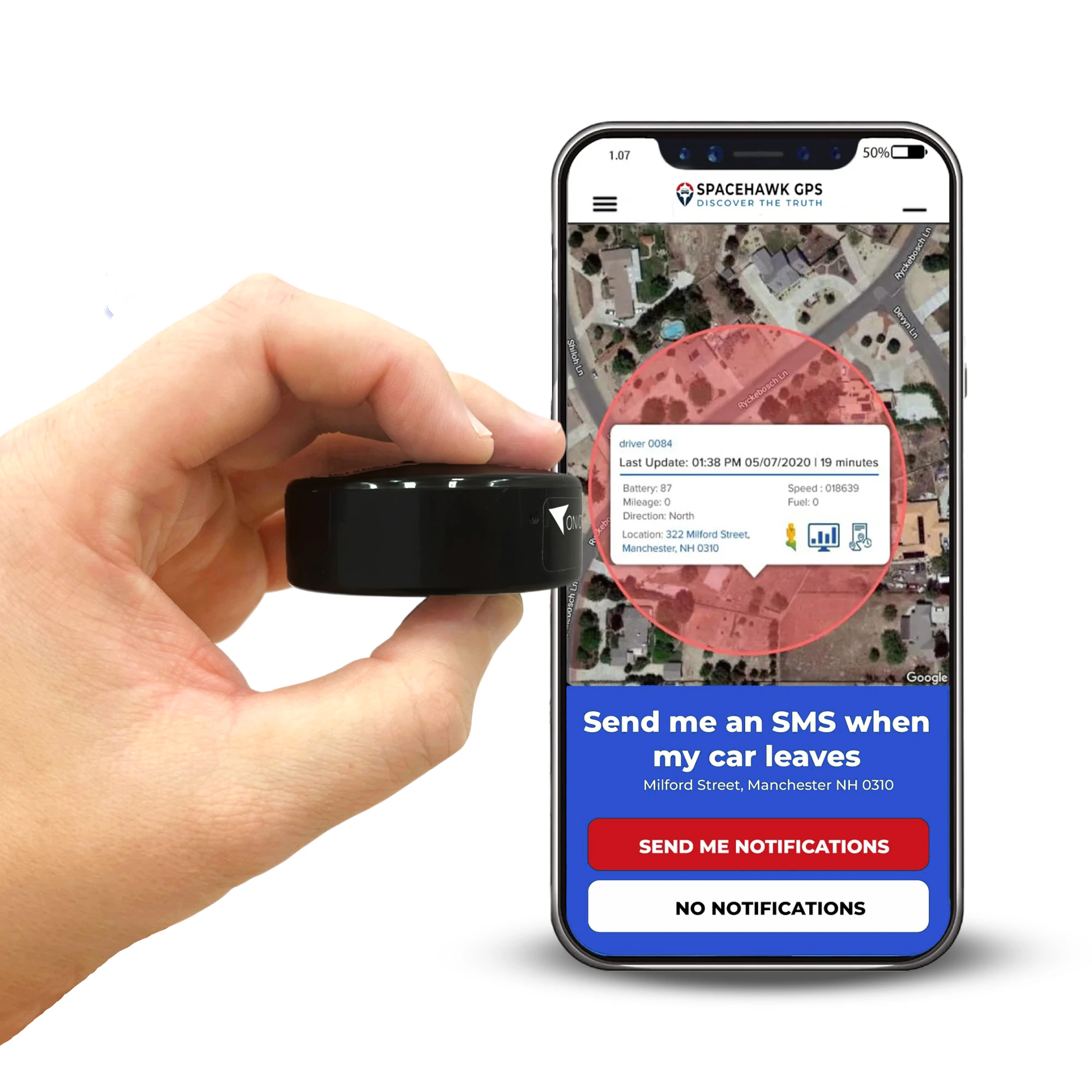
Or if you're ready to get your first vehicle live on the map today, the Konnect Vehicle GPS Tracker is built specifically for fleet vehicles, installs in minutes, and starts tracking the moment it's powered on.

Author Disclosure
Written by Ryan Horban, GPS Tracking Specialist (15+ Years Experience)
I've spent more than 15 years working hands-on with GPS fleet tracking systems across construction sites, rental fleets, service vehicles, and commercial equipment operations. From deploying OBD plug-in trackers on 40-van delivery fleets to hardwiring units across heavy-duty truck operations, my recommendations come from real installs on real fleets.
In this guide, I walk you through exactly how to track your fleet in real time with the right devices, the setup process, what to watch on your dashboard, and what kind of savings to realistically expect.
👉 Connect with me on LinkedIn →
🌐 Visit: www.ryanhorban.net

Frequently Asked Questions
How Accurate Is Real-Time GPS Fleet Tracking?
Modern GPS fleet tracking is accurate to within 3 to 10 feet under open sky. For fleet management purposes like dispatching, route verification, geofence monitoring that level of accuracy is more than sufficient. You'll know which street your driver is on, which job site they're at, and whether they're moving or parked.
In dense urban areas with tall buildings on multiple sides, GPS signals can bounce and cause occasional position variance of 15 to 20 feet. Good systems compensate for this using a combination of GPS, cellular triangulation, and historical movement data. It's rarely noticeable in practice.
How Much Does GPS Fleet Tracking Cost Per Month?
GPS fleet tracking costs anywhere from $10 to $60 per vehicle per month depending on the features you need, basic location tracking sits at the lower end, full telematics with driver behavior and dash cam integration at the higher end.
Here's a quick breakdown:
- Basic plug-and-play systems (real-time location, basic alerts, trip history): $10 to $20 per vehicle per month, usually no long-term contract required
- Full telematics platforms (driver behavior monitoring, OBD diagnostics, dash cam integration): $25 to $60 per vehicle per month
- Enterprise platforms (Samsara, Verizon Connect): custom pricing, typically requires a quote and a multi-year agreement
- OBD plug-in hardware: $30 to $99 per device, one-time cost
- Hardwired units: $80 to $199 per device depending on the model
Many vendors include devices free with a subscription commitment, worth asking before you pay upfront. The monthly subscription cost is usually the smaller part of the total expense. The ROI on fuel savings alone typically covers it within the first 30 to 60 days.
What's the Difference Between GPS Tracking and Telematics?
GPS tracking shows you where your vehicles are on a live map. On the other hand, telematics systems do that and a lot more. Telematics systems combine GPS location with vehicle diagnostics, driver behavior data, fuel usage, engine health, and trip history into one unified data stream. Most modern fleet tracking devices are telematics devices, meaning you're getting location plus vehicle and driver data from a single unit.
If a vendor is offering you "GPS tracking only" with no diagnostic or behavior data, you're looking at a basic system that will likely leave you wanting more within the first few months.
Can I Track My Fleet from My Phone?
Yes, all major GPS fleet tracking platforms include iOS and Android mobile apps. On a properly built platform, the mobile app gives you full dashboard access with live vehicle locations, active alerts, geofence status, trip history, and driver behavior reports, all from your phone.
Do Fleet GPS Trackers Work Without Internet?
Yes, GPS trackers work without the internet. The device calculates your vehicle's position using satellite signals, not cellular data. The internet connection is only needed to transmit that location to your dashboard.
This is how the two work separately:
- GPS satellite signal calculates the vehicle's exact position. Works anywhere satellites are visible, no cellular needed
- 4G LTE cellular connection carries that position data from the device to your fleet tracking dashboard in real time
- No signal? No problem. Most quality systems cache location data on the device during dead zones and upload everything automatically once coverage returns
- Satellite fallback available on premium systems for fleets running in genuinely remote areas like rural construction sites, mining operations, or off-grid routes
One thing you should confirm before you buy that not every platform includes satellite fallback as standard. If your fleet regularly runs through dead zones, ask the vendor directly whether it's included in your plan or available as an add-on.
How Long Does It Take to Install GPS Trackers on a Fleet?
OBD-II plug-in trackers take under 2 minutes per vehicle as located the port under the dashboard, plug in the device, done. A fleet of 20 vehicles is fully equipped in under an hour.
Hardwired trackers take 20 to 45 minutes per vehicle depending on the vehicle type and installer experience. A mechanically capable fleet manager can handle most installs without a specialist. For a 10-vehicle fleet, budget a full workday for hardwired installation.
Battery-powered magnetic trackers are the fastest of all, under a single minute per unit, no tools required. Most of that time is finding a clean mounting surface on the trailer or asset frame.
Is GPS Fleet Tracking Legal for Business Vehicles in the U.S.?
Yes. GPS tracking is legal for vehicles your business owns or operates. Under U.S. law, employers have the right to monitor company vehicles during work hours. Most states also allow tracking outside of work hours on company-owned vehicles, though requirements vary.
The standard best practice and in some states a legal requirement, is to inform employees that company vehicles are tracked. A brief written policy covering what data is collected and how it's used is sufficient in most cases. For state-specific requirements, the National Conference of State Legislatures maintains an updated database of employee monitoring laws by state.
Personal vehicles tracked without the owner's consent is an entirely different legal situation. But company-owned vehicles with disclosed tracking is straightforward and fully legal.
 Buy on Amazon