





Best Wireless GPS Trackers : Expert Picks, No Wiring

Key Takeaways
-
01 SpaceHawk Mini is my top wireless GPS tracker, with 3-second updates and a strong magnet.
-
02 Battery trackers average 1 to 3 weeks per charge, and extended packs stretch past four months.
-
03 OBD II plug-in trackers like Konnect never need charging because the vehicle powers them.
-
04 Every real-time GPS tracker needs a data plan, while Bluetooth tags like AirTag skip fees.
-
05 Tracking your own vehicle is legal, but tracking a car you don't own often isn't.
Best Wireless Vehicle GPS Tracking Devices | 8 Tested on Real Roads
You're hunting for the best wireless GPS tracker because something you own sits out of sight, and not knowing where it is right now drives you nuts. Maybe a trailer vanished overnight, or a work truck keeps taking two-hour lunches.
Oh man, I know that sinking feeling.
I built this guide for you, the person staring at an empty map at midnight. I'm Ryan Horban, and for 15 years I've stuck wireless GPS tracking devices on work trucks, rental trailers and skid steers across Southern California.
In this guide, you'll get my eight picks (six real GPS trackers plus two Bluetooth tags), a side-by-side comparison table, my testing process, a buying checklist and the legal rules.
By the end, you'll know exactly which wireless GPS tracker to buy and what it costs each month. Grab a coffee and let's dig in.
What Is a Wireless GPS Tracker?
A wireless GPS tracker is a small wireless tracking device that finds its position from GPS satellites and sends that location to your phone over the cell network, with no wiring into the vehicle. You'll run into four kinds when you shop, and one of them isn't really a GPS tracker at all (looking at you, AirTag).

Every option out there falls into one of these buckets.
- Magnetic Battery Trackers: Stick under a frame and run for weeks on one charge.
- OBD II Plug-In Trackers: Plug in under the dash and draw power from the vehicle.
- Bluetooth Tags: Ping nearby phones for location, with no GPS chip and no live map.
Hardwired units are the one type I skip here, since the whole point of wireless is skipping the installer. Satellites fix the position and cell coverage carries the data, which explains why every real GPS device needs a monthly plan and every Bluetooth tag doesn't.
Start with the table, if you want the whole lineup at a glance.
Quick Comparison of the Best Wireless GPS Tracking Devices
This quick comparison lines up all eight picks on price, plan cost, update speed and battery life, the four numbers I check first on any GPS tracker. Swipe sideways on your phone to see every column.
| Compare | SpaceHawk Mini | Outlaw Magnetic | Konnect OBD II | Everlast | LandAirSea 54 | SpyTec Atlas | Apple AirTag | Tile Mate |
|---|---|---|---|---|---|---|---|---|
| Best for | Best overall | Trailers and equipment | Vehicles, no charging | Longest battery | Most-reviewed budget | Free hardware | iPhone users | iPhone and Android |
| Device price | $39.95 | $99.95 | $199.95 (12 months included) | $49.95 to $149.95 | $29.95 | Free with plan | $29 | About $25 |
| Fastest update | 3 sec | 3 sec | 3 sec | 5 sec | 3 sec | 5 sec | No live updates | No live updates |
| Battery life | 1 to 3 weeks | 1 to 2 months | Vehicle powered | Up to 140 days | 1 to 3 weeks | Up to 14 days | About 1 year | Up to 3 years |
| Water rating | IP67 | IP67 | Inside cabin | IP67 case | IP67 | IPX5 | IP67 | IP68 |
| Mount | Built-in magnet | Built-in magnet | OBD II port | Magnetic case | Built-in magnet | Magnetic case | Keyring | Keyring |
| Buy | Buy Now | Buy Now | Buy Now | Buy Now | Buy Now | Buy on Amazon | Buy on Amazon | Buy on Amazon |
Swipe the table sideways to compare all eight trackers.
Prices change often, so treat the plan column as a starting point, and check which update speed that price actually buys. Numbers only tell half the story, though. The next section covers how these trackers held up on real Southern California roads.
How I Tested These Wireless GPS Units
I used every tracker on this list the same way, on my own vehicles and equipment around Murrieta and Temecula. No lab or bench rig, just real driving across Riverside County and beyond.


Each GPS tracker rode the 15 freeway from Murrieta down to San Diego and up to Los Angeles. Then each one sat parked in a trailer yard for weeks and spent time in the worst signal spots I could find. Ortega Highway ate cell coverage for miles. Downtown parking garages handled the rest.
Oh man, those garages were brutal. On every run I scored the same six things in one notebook, so no tracker got a softer test than another.
- Update Speed: Live location updates versus the promised speed.
- Location Accuracy: How close the dot landed to the vehicle.
- Battery Drain: Power used per week at normal settings.
- Alert Speed: Response time for geofence and movement triggers.
- Setup Time: App setup from box to map.
- Support Quality: Whether support answered and actually helped.
The Bluetooth tags got their own testing process around Old Town Temecula and the Promenade mall, since a tag lives or dies on crowds. Okay, enough setup. Time to meet the winner.
1. SpaceHawk Mini: Best Overall Wireless GPS Device

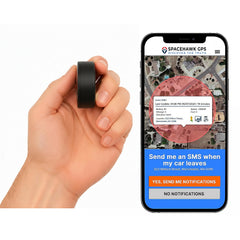
SpaceHawk Mini is my number one wireless GPS tracker because it hits the best balance of speed, size and price I've tested.
The magnetic unit measures 2.275 inches across, updates as fast as every 3 seconds and lands within about 6 feet of your stuff. Inside sits a 1500 mAh battery, a built-in magnet and an IP67 waterproof shell, so you slap it under a trailer frame, an ATV or a car and walk away. The GPS chip fixes the position, the 4G LTE SIM sends that data to your phone, and the app shows live location, speed and a full year of trip history.
SpaceHawk gets the top spot for the price plus flexibility.
But yeah, you'll charge it every one to three weeks. If that sounds like a chore, low power mode stretches a charge to three to six months, or SpaceHawk's optional hardwire kit ends charging for good. SpaceHawk Mini fits trailers, ATVs, equipment and any car you own, especially if you want one small device you can move between all of them.
01
SpaceHawk Mini Key Features
- Real time updates as fast as every 3 seconds on top plans
- Location accuracy lands within about 6 feet of the real spot
- IP67 rating handles rain, mud and car washes without any extra case
- Built-in magnet grips steel frames on trailers, ATVs and vehicles
- Long battery life runs 1 to 3 weeks on a single charge
- Geofence alerts, speed alerts and movement alerts land on your smartphone
- Stores location history in remote areas, then uploads once signal returns
02
SpaceHawk Mini Pros & Cons
- Cheap device at $39.95 to start
- Fast 3-second updates when you need them
- Small enough to hide almost anywhere
- Strong magnet, no extra case needed
- One year of trip history included
- Fast updates shorten the battery quickly
- Fastest update tier costs the most


I stuck a SpaceHawk under the tongue of my 7x16 enclosed trailer in Murrieta and towed it down the 15 to San Diego on 3-second updates. Wow, the dot hugged every lane change. A downtown parking garage killed the signal for a few minutes, and the map caught back up within a minute of pulling out. Later, on Ortega Highway with zero bars on my phone, SpaceHawk kept logging and dumped the whole stretch onto the map once service came back. After nine days on 1-minute updates, the battery still showed about 40 percent.
A hands-on look at the SpaceHawk from the Ultimate Review Zone channel.
SpaceHawk covers most people. If you're tracking something heavier that sits for months, though, keep reading.
2. Outlaw Magnetic: Best Wireless GPS for Trailers and Equipment Theft Recovery

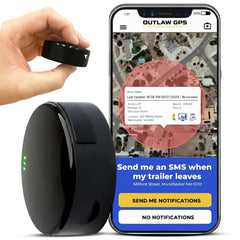
Outlaw Magnetic is the GPS tracker I grab for trailers and unpowered equipment, because the 4240 mAh battery runs one to two months of active tracking on a single charge. Low power mode stretches that to as long as a year, which is huge for a trailer sitting in a yard all winter. The unit mounts with a built-in magnet, carries an IP67 rating and sends location updates as fast as every 3 seconds once something moves. Stealth mode switches off every light, too.
Add the optional hardwire kit and the battery question disappears completely.
Outlaw earns the number two spot for one reason. You get nearly triple the battery of a 1500 mAh mini tracker in a body still small enough to hide on a trailer frame. Outlaw fits contractors, landscapers, RV owners and anyone whose gear has no engine to power a tracker.
01
Outlaw Magnetic Key Features
- 4240 mAh battery runs one to two months of active tracking
- Low power mode stretches a single charge to about one full year
- Built-in magnet holds tight on trailer frames and unpowered equipment steel
- Fast updates every 3 seconds the moment your trailer or asset moves
- Optional hardwire kit gives constant power, so you skip battery charging
02
Outlaw Magnetic Pros & Cons
- Huge battery for unpowered equipment and trailers
- IP67 build shrugs off rain and dust
- Stealth mode turns every light off
- Works in 155 countries, no swaps
- Bulkier than a mini GPS tracker
- 3-second updates need the top plan


I left an Outlaw on a utility trailer and an equipment at a storage yard off Winchester Road in Temecula for five weeks, with a geofence drawn around the lot. Damn, that battery barely moved, and it still read above 40 percent when I checked. The day I finally hitched up for a job in Lake Elsinore, the geofence alert hit my phone before I cleared the gate, and the 3-second track looked clean the whole drive.
Trailers and equipment sorted. What about the car in your driveway, the one you never want to charge?
3. Konnect OBD II: Best Wireless Vehicle Tracking

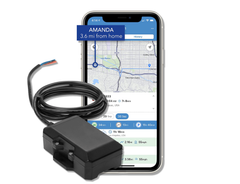
Konnect OBD II is my pick for wireless vehicle tracking when you never want to charge anything. The tracker plugs into the OBD II port under the dash, draws power from the car, and sends live location every 3 seconds while the vehicle moves.
Fleet1st sells Konnect for $199.95 with 12 months of tracking already paid for. After year one the plan runs $8.95 a month, the cheapest 3-second plan on this list.
Konnect skips engine data on purpose. Konnect fires a tamper alert the second the tracker gets unplugged, and a small backup battery keeps reporting for about 15 minutes. Konnect works in most US cars and light trucks from 1996 on, except Teslas and most motorcycles, and fits teen drivers, new drivers and small business vehicles that need daily check-ins.
01
Konnect OBD II Key Features
- OBD II plug in setup takes under a minute with no tools
- Live location every 3 seconds while the vehicle is on the move
- Tamper alert fires the moment someone unplugs the tracker from the port
- Backup battery keeps reporting for about 15 minutes after an unplug
- Speed and geofence alerts help you monitor teen drivers and new drivers
- One full year of trip history with every stop and timestamp logged
02
Konnect OBD II Pros & Cons
- Never needs charging, the car powers it
- Cheapest 3-second plan on this list
- First 12 months of service included
- Tamper alert warns you if unplugged
- Moves between vehicles in a few seconds
- Location accuracy within about 6 feet
- Visible to anyone who checks under the dash
- No engine codes or driver scoring


I ran a Konnect in my work truck for a month of daily runs from Murrieta up the 15 to the 91 and into LA. Every stop showed up with a timestamp, which made my mileage log way easier. I yanked the tracker out on purpose in a Costco parking lot, and the tamper alert buzzed my phone before I'd even shut the door. Oh, and the 3-second dots on the 91 at rush hour? Painfully accurate. I could count every minute I sat still.
If your tracker has to live outside a vehicle for months, no OBD port can help. That job belongs to my long-battery pick.
4. Everlast: Longest Battery Life Wireless GPS Tracker

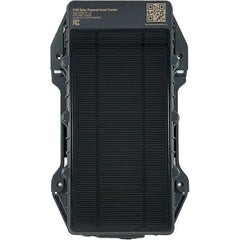
Everlast is the longest-running GPS tracker on this list, with up to 140 days of battery life at about an hour of driving a day. BrickHouse Security builds the kit by dropping its Spark Nano 7 tracker into a 17,800 mAh extended battery pack and a waterproof magnetic case.
That case is a brick, honestly. At 6.37 by 4.75 inches and roughly two pounds, Everlast won't hide in a glove box, but a 60-pound magnet keeps it planted under a trailer or truck frame.
Everlast got the fourth place because most active tracking time per charge on this list, traded for size and coverage.
Updates run every 5, 30 or 60 seconds depending on your plan, and that 140-day figure assumes the slower 60-second setting. Expect to pay around $49.95, plus $17.99 a month on an annual plan, $22.99 quarterly or $29.99 month to month. The Spark Nano inside also carries an SOS button for emergencies, and you can pop the tracker out of the case and drop it in a backpack. Everlast fits boats, trailers and equipment parked for a season, plus anyone who hates charging anything more than twice a year.
01
Everlast Key Features
- Up to 140 days per charge with about an hour daily driving
- 17,800 mAh extended battery pack paired with the Spark Nano 7 tracker
- Update rate options of 5, 30 or 60 seconds depending on plan
- BrickHouse rates location accuracy at 2.5 meters, roughly 8 feet
- IP67 waterproof magnetic case with a 60-pound magnet pull rating
- SOS panic button sends an emergency alert straight to your phone
- Speed, geofence, movement and low-battery alerts arrive by text or email
- Tracker pops out of the case for pocket, bag or backpack use
02
Everlast Pros & Cons
- Longest active battery life on this list
- Strong magnet holds under heavy frames
- Built-in SOS button for real emergencies
- Spark Nano 7 pops out for pockets
- Big, heavy case, roughly two pounds
- Coverage stops at the North American border
- Battery claim assumes slower 60-second updates


I mounted an Everlast under a landscaping trailer parked at a yard in Menifee through a stretch of 105-degree Inland Empire heat. After a month of daily moves around Menifee and Perris, the app still showed roughly three quarters of the battery left. I'll be honest, I expected the heat to wreck it. Nope. My only gripe was size, since finding a hidden spot for that big case under a small trailer took some creativity.
Not everyone needs four months of battery. Some folks just want a proven tracker at a low price, backed by a mountain of reviews.
5. LandAirSea 54: Best GPS Tracker for Budget Pick

LandAirSea 54 is the budget GPS tracker I trust most, mainly because 29,870 Amazon ratings at 4.1 stars tell you exactly what you're buying.
The device costs about $14.95 to $29.95, one of the lowest upfront prices here, and plans start at $9.95 a month on a two-year prepay.
A 1500 mAh battery delivers one to three weeks per charge, about 25 hours of actual drive time, or up to six months in low power mode. The app tricks are where LandAirSea gets fun. ShareSpot sends a live link without handing over your login, and energy saver wakes the unit on a timer. The common gripe is charging more often on fast update speeds. Fair. Run a 1-minute plan for daily use and save the 3-second tier for when something goes missing.
LandAirSea 54 fits budget buyers, families with ATVs or golf carts, and anyone who wants a big review base before spending a dime.
01
LandAirSea 54 Key Features
- Premium plans push location updates as often as every 3 seconds
- InstaFence drops a 500-foot geofence around the tracker with one tap
- ShareSpot sends a live tracking link without handing over your login
- GNSS antenna reads satellite networks, and 4G LTE carries the data
- IP67 rating and a built-in magnet suit outdoor mounting on equipment
02
LandAirSea 54 Pros & Cons
- Huge review base, 29,870 Amazon ratings
- Low $29.95 device price to start
- Works in more than 155 countries
- One year of historical playback included
- Unconditional lifetime warranty covers device defects
- Live update rates require higher monthly plans
- Fast updates shorten the battery quickly


I ran a LandAirSea 54 on a golf cart out in Temecula wine country, then took it into downtown San Diego to see how the GNSS antenna handled tall buildings. The dot wobbled a bit between the towers on Broadway, which every tracker does, then snapped right back on open street. InstaFence was the fun part. I set the 500-foot fence before lunch, and my phone lit up the second that cart wandered off.
Prefer not to pay for hardware at all? One big-name brand gives the tracker away free with a plan.
6. SpyTec Atlas: Free Hardware Pick Wireless GPS Tracking Device

SpyTec Atlas is the GPS tracker to grab when you'd rather pay nothing upfront, since Spytec includes the hardware free with any plan.
Plans run $22.95 a month on an annual commitment or $34.95 month to month, so the total cost catches up over a year. Longtime buyers know this tracker as the GL300, the same model carrying 8,844 Amazon ratings at 4.1 stars. A 2600 mAh battery lasts about 9 days on 5-second updates and up to 14 days in power-saving mode, and the magnetic case pulls around 60 pounds. In daily driving on fast updates, plan on about 7 to 10 days per charge.
The tracker carries an IPX5 rating, so rain and splashes are fine, but don't park it where water pools. Spytec's app replays 365 days of trip history, saves places with arrival alerts, and adds Scout AI, which answers questions like where your truck stopped yesterday. The lifetime warranty only lasts while your subscription stays active.
01
SpyTec Atlas Key Features
- Free hardware comes with any annual or month-to-month subscription plan
- Performance mode delivers location updates as fast as every 5 seconds
- 2600 mAh battery runs 9 to 14 days depending on mode
- Magnetic M2 case pulls about 60 pounds on steel surfaces
- Super SIM roams across the US, Canada, Mexico and worldwide networks
- App gives access to 365 days of GPS tracking history
- Scout AI answers plain-English questions about where your tracker went
02
SpyTec Atlas Pros & Cons
- Zero hardware cost at checkout time
- 24/7 live chat with US support
- Big brand with thousands of reviews
- Pops out of case for bags
- IPX5 only, not built for submersion
- Higher monthly plan than most here
- Warranty lasts only while you subscribe


I ran an Atlas in its magnetic case under my truck bumper through one of those rare SoCal rainstorms on the 215 near Perris. No issues, though I wouldn't trust IPX5 sitting in a flooded wash. On 5-second Performance mode the battery tapped out around day nine, right on Spytec's number. My favorite part? Asking Scout AI where the truck sat longest that week. Lazy, sure, but handy.
Every tracker so far needs a data plan. If monthly fees make you twitch, Bluetooth tags offer a very different deal.
Best Wireless Bluetooth Tracker Alternatives
Bluetooth tags like Apple AirTag and Tile Mate aren't GPS trackers, because they borrow the location of nearby phones instead of using satellites and a SIM. You pay once, skip monthly fees and get great results for lost items like keys, bags and luggage.

Out on a rural road with no phones around, though, a tag goes silent for hours. Theft recovery on a car or trailer needs real GPS. I keep both kinds around, just for different jobs. Airpinpoint, a fleet dashboard built on Apple's Find My network, pitches AirTags on trailers and tools plus GPS on the trucks as the best value for mixed fleets. That setup costs $11.99 per tag a month on their Business plan, though, and every AirTag in it stays detectable.
Two tags earned a spot.
1. Apple AirTag: Best for iPhone Users

Apple AirTag is the best Bluetooth tag for iPhone owners, since Apple's Find My network taps more than a billion Apple devices to report where your stuff is. The second-generation AirTag costs $29, or $99 for a four-pack, with no subscription.
A louder speaker and up to 1.5 times the Precision Finding range make the final few feet easier, and the IP67 shell shrugs off a puddle. Apple AirTag gets a battery life of about a year or more from its CR2032 coin cell, and you swap it yourself in seconds. Setup needs an iPhone running iOS 26 or later.
One catch for theft recovery. AirTag is detectable. Any iPhone or Android phone traveling with an unknown AirTag gets an alert, and the tag starts beeping, so a thief can find and toss it fast.
01
Apple AirTag Key Features
- Apple's Find My network taps over a billion Apple devices nearby
- Precision Finding uses second-generation Ultra Wideband to point the way
- Built-in speaker plays roughly 50 percent louder than the first generation
- IP67 rating handles rain, spills and a dunk under 1 meter
- User-replaceable CR2032 coin battery lasts more than a full year
02
Apple AirTag Pros & Cons
- $29 with no monthly fees ever
- Huge Find My network in cities
- Precision Finding nails the exact spot
- Share with up to five people
- Needs an iPhone, no Android setup
- Detectable, alerts nearby phones and beeps
- No live tracking or GPS chip


I tossed an AirTag in my truck at the Promenade mall in Temecula, and the location refreshed every few minutes with all those shoppers walking past. Then I drove out toward Anza. Out there? Nothing for almost two hours. Great for keys, rough for a stolen truck. Got an Android phone in the house? Tile plays nicer with both camps.
2. Tile Mate: Best for iPhone and Android

Tile Mate is my Bluetooth pick for mixed households, because the 2024 model works with both iPhone and Android through the free Tile or Life360 app. Expect to pay about $25, with no required subscription.
Tile rates the Bluetooth range at up to 350 feet, the IP68 shell handles water, and the sealed battery runs up to three years before you replace the whole tag. Double-press the button and your phone rings, which has saved me more mornings than I'd like to admit.
Tile Premium at $30 a year adds left-behind alerts, and a triple-press sends an SOS to your Life360 contacts. Location for far-away items depends on other Tile and Life360 users walking by, so coverage thins out fast in rural areas.
01
Tile Mate Key Features
- Works with iPhone and Android phones through the Tile or Life360 app
- Bluetooth range rated at up to 350 feet by Tile itself
- IP68 rating handles rain, splashes and accidental drops into water
- Sealed battery lasts up to three years before you replace the tag
- Double-press the button to ring your misplaced smartphone, even on silent
- Triple-press sends an SOS emergency alert to your Life360 contacts
02
Tile Mate Pros & Cons
- Works on both iPhone and Android
- Loud ring finds keys under cushions
- No required monthly fees at all
- Free SOS alerts to Life360 contacts
- Phone finder works in reverse, too
- Battery sealed, whole tag gets replaced
- Real range falls short of 350 feet
I clipped a Tile Mate to my keys and hid them all over the house, which my family found way funnier than I did. The ring is loud enough to hear through couch cushions. In my yard test, the Bluetooth connection dropped well before the 350 feet on the box, so treat that number as a best case.
Bluetooth tags handle the small stuff. For anything you'd file a police report over, stick with a real GPS tracker, and the buying guide below shows exactly what to look for.
What Are the Key Features to Look for in a Wireless GPS Tracker?
The key features to look for in a wireless GPS tracker are battery life, update rate, monthly fees, IP rating and mount type, alerts, app support and cell coverage. Pick the one whose battery, install style and alerts fit the job, whether you're protecting a daily driver, a trailer or a work truck.

I tested all eight trackers on this list around Murrieta and up and down the 15, and these seven features decided every pick. Get these seven right and you skip the returns, the regret and the 2 a.m. phone checks.
01
Battery Life on a Single Charge
Battery life is how long a wireless tracker runs on a single charge. Most battery-powered tracking devices last one to three weeks on regular updates, and extended packs or low power modes stretch into months.
Because a dead tracker tells you nothing. Long battery life becomes essential for anything parked for weeks, like a trailer in a storage yard or a boat in the off-season.
Match the battery to how the asset actually lives.
- Daily drivers: 1 to 3 weeks works fine with a weekend charging routine.
- Trailers and equipment: Look for 4,000 mAh or more, or a low power mode.
- Never want to charge: Go with an OBD II plug in or a hardwire kit.
Fast updates drain any battery quicker, so the number on the box usually assumes slower settings. The trade-off leads straight into update rate.
02
Update Rate and Live Tracking
Update rate is how often a GPS tracker reports its location, and live tracking only feels live when that gap stays short. Many trackers send real time updates every 5 to 10 seconds, the fastest here hit 3 seconds, and budget plans stretch to 1 or 3 minutes.
Picture a stolen truck doing 65 on the 15. At a 3-minute update rate, that truck covers more than three miles between dots on your map. At 3 seconds, you see every exit it takes.
Wild, right?
Look for a tracker that lets you switch speeds in the app. Run slower updates day to day to save battery, then crank it up the second something moves without you. Also check which speed the advertised price actually buys, since the cheapest plan almost never includes the fastest one.
03
Monthly Fees and Total Cost
Monthly fees cover the SIM card, cellular data and the servers holding your location history, so every real-time GPS tracker needs one. Most guides put subscription fees at $5 to $25 a month. On my list, entry plans start around $9 on a long prepay, and the fastest 3-second tiers climb to $49.95. Bluetooth tags skip fees entirely.
The sticker price fools people. The total cost of GPS tracking equals the device price plus every month of subscription, and by the end of year one the plan usually costs more than the hardware.
Run the two-year math before you buy.
- A $29.95 device on a $9.95 two-year prepay runs about $269, before any faster tier.
- A "free" tracker on a $22.95 annual plan runs about $551 over two years.
Check for activation fees, cancellation fees and contract length too, because those hide in the fine print.
04
IP Rating and Mounting Options
An IP rating tells you how well a tracker blocks dust and water, and the second digit covers water. IP67 means dust tight and safe in about a meter of water, while IPX5 handles rain and splashes but not a dunk.
Anything mounted outside a vehicle eats road spray, mud and car wash jets. An outdoor tracker without IP67 is a gamble, plain and simple.
Mounting style decides where the tracker lives, so match it to the job.
- A built-in magnet grabs any steel frame and installs in seconds.
- A magnetic case adds bulk but pops off fast for charging.
- OBD II trackers plug in under the dash and run on vehicle power.
- A hardwire kit gives constant power but takes a longer install.
- Inside the cabin, try the glove box or under a seat.
GPS signals pass through plastic and glass, so interior spots work fine. Just never bury a tracker under solid metal. With the tracker mounted, the alerts do the real work.
05
Geofence, Speed and Tamper Alerts
Alerts tell you something happened without you staring at a map all day. Geofencing alerts notify you when a vehicle enters or leaves an area you draw, and most trackers add speed and movement alerts too.
Honestly, alerts are where a tracker earns its subscription.
Thieves don't wait for your lunch break. A geofence around your yard buzzes your phone the moment a trailer rolls past the gate, giving you a real shot at theft recovery while the trail is still warm.
Check which trackers support each of these alerts.
- Geofence: Pings you when the tracker enters or leaves a zone you draw.
- Movement: Tells you the second a parked vehicle starts rolling without you.
- Speed: Flags any trip where the driver goes over your set limit.
- Tamper: Warns you when someone unplugs the tracker from the OBD II port.
- Low battery: Reminds you to charge before the tracker goes dark on you.
- InstaFence: Throws an instant 500-foot fence around wherever the vehicle sits.
- SOS: Sends an alert when someone presses the tracker's panic button.
Not every tracker offers every alert, so match the list to your biggest worry before you buy.
06
App, Trip History and Support
The app is where you'll spend most of your time, so a GPS tracker is only as good as its software. Look for a free iPhone and Android app with web access, a year or more of trip history with timestamps, and simple geofence drawing.
Support is the sleeper feature. When the map goes blank at 9 p.m., you want a real person in the US, not a chatbot.
Warranty belongs here too. Most GPS trackers on my list carry lifetime warranties, though some only cover the device while you stay subscribed. Read that fine print before adding features like faster plans or extra units.
07
Cell Coverage and Remote Areas
Cell coverage decides whether your tracker can report at all, because satellites fix the position while the cell network handles communication back to your phone. Most wireless tracking devices here run on 4G LTE, with SIM cards covering North America or 155+ countries.
In cities, a multi-GNSS receiver reads several satellite systems and holds a tighter lock between tall buildings.
Out in remote areas, the cell link breaks first. Some trackers, SpaceHawk included, store location points offline and upload them once signal returns. If you are heading somewhere with no cell service for days, like the backcountry past Anza or the desert by Borrego Springs, a satellite communicator like a Garmin inReach is the best gear for that job, since it talks straight to satellite networks instead of cell towers.
Found your features? Good. Installing a wireless tracker takes about five minutes, and I'll show you how.
How to Install a Wireless GPS Tracker
To install a wireless GPS tracker, charge it, activate it in the app, then stick the magnet to clean steel or plug it into the OBD II port under your dash. Most installs take about five minutes with zero tools, and a short test drive confirms everything works.


Wireless vehicle tracking only works as well as the install behind it, though. I've watched a perfectly good tracker look broken because somebody slapped it under a thick steel plate.
Follow these six steps in order and you'll get it right the first time:
- Charge It Overnight: Give a battery tracker a full charge first so your first week of tracking doesn't cut out early.
- Activate the Plan: Download the app, add the device ID from the box, and pick the update speed that fits your budget.
- Test It Outside: Set the tracker in your driveway for a few minutes and wait for a fresh location dot on the map.
- Pick the Spot: Choose steel with plastic, glass or open sky above it, and never a pocket buried under solid metal.
- Mount or Plug In: Press the magnet onto clean, dry steel, or plug an OBD II tracker into the port near the steering column.
- Take a Test Drive: Drive a short loop around town, then open trip history and confirm the whole route recorded cleanly.
Four short install clips from our own channel, start to finish.
OBD II trackers skip step one since the car powers them. Everything else stays the same.
Placement makes or breaks a magnetic tracker. For a wireless car GPS tracker, my go-to spots are the steel bumper bar behind the plastic cover, the driver's seat frame or the glove box. On trailers, use a frame rail near the tongue with wood or plastic above it. Skip the engine bay and exhaust, since heat kills batteries fast.
I tested every install on this list the same way, with a loop down Winchester Road and back up the 215. Oh man, the first time I pulled into the parking structure at the Promenade mall, the dot wandered two rows over. Once I drove back out into open sky, the tracker snapped right back to my spot. Totally normal, by the way, since concrete and steel overhead block satellites.
One last thing before you install. Whose vehicle you track decides whether tracking is legal, so read the next section first.
Are Wireless GPS Trackers Legal?
Wireless GPS trackers are legal to use on a vehicle you own or lease. Putting one on a car you don't own without the owner's consent breaks the law in many states, including California, and can bring stalking or harassment charges.

California Penal Code 637.7 shows how the legality of tracking works in my home state. The law bans using an electronic tracking device to find a person's location or movement unless the registered owner, lessor or lessee consents. I'm not a lawyer, but in 15 years I've seen almost every problem come down to whose name sits on the title.
- Your own vehicle: Track any car, trailer or equipment you own or lease.
- Your teen's car: Several states carve out parents tracking a minor's vehicle.
- Company vehicles: Businesses can track their fleet, but employers must disclose tracking in New Jersey, New York and Connecticut.
- Someone else's car: Tracking without consent can bring charges, even with the magnet outside.
Apple also says AirTag is built to find belongings, not people. Laws change, so check your state's rules before you install, then grab the right tracker from my final picks below.
Conclusion: Which Wireless GPS Tracker Should You Buy?
The best wireless GPS tracker for most people is the SpaceHawk Mini. For $39.95 you get IP67 protection, a built-in magnet, a lifetime warranty, updates as fast as every 3 seconds and plans from $9.95 a month on a two-year prepay.
I drove it around Murrieta and down the 15 for months, and the dot kept landing right where my truck sat. Your vehicle and budget might point somewhere else, though, so match your situation to the right pick.
- Trailers and Equipment: Outlaw Magnetic, with 1 to 2 months per charge.
- Plug In and Forget: Konnect, with 12 months included, then $8.95.
- Longest Battery: Everlast, up to 140 days at light use.
- Lowest Upfront Cost: LandAirSea 54 at $29.95, plans from $9.95.
- Free Hardware: SpyTec Atlas, free with a subscription plan.
- Small Stuff Only: AirTag for iPhone, Tile Mate for Android.
The best GPS tracker is the one that fits how you'll actually use it, not the biggest number on the box. Get that right and you'll sleep better than the guy checking his driveway at 2 a.m.
Protect Your Ride for $39.95
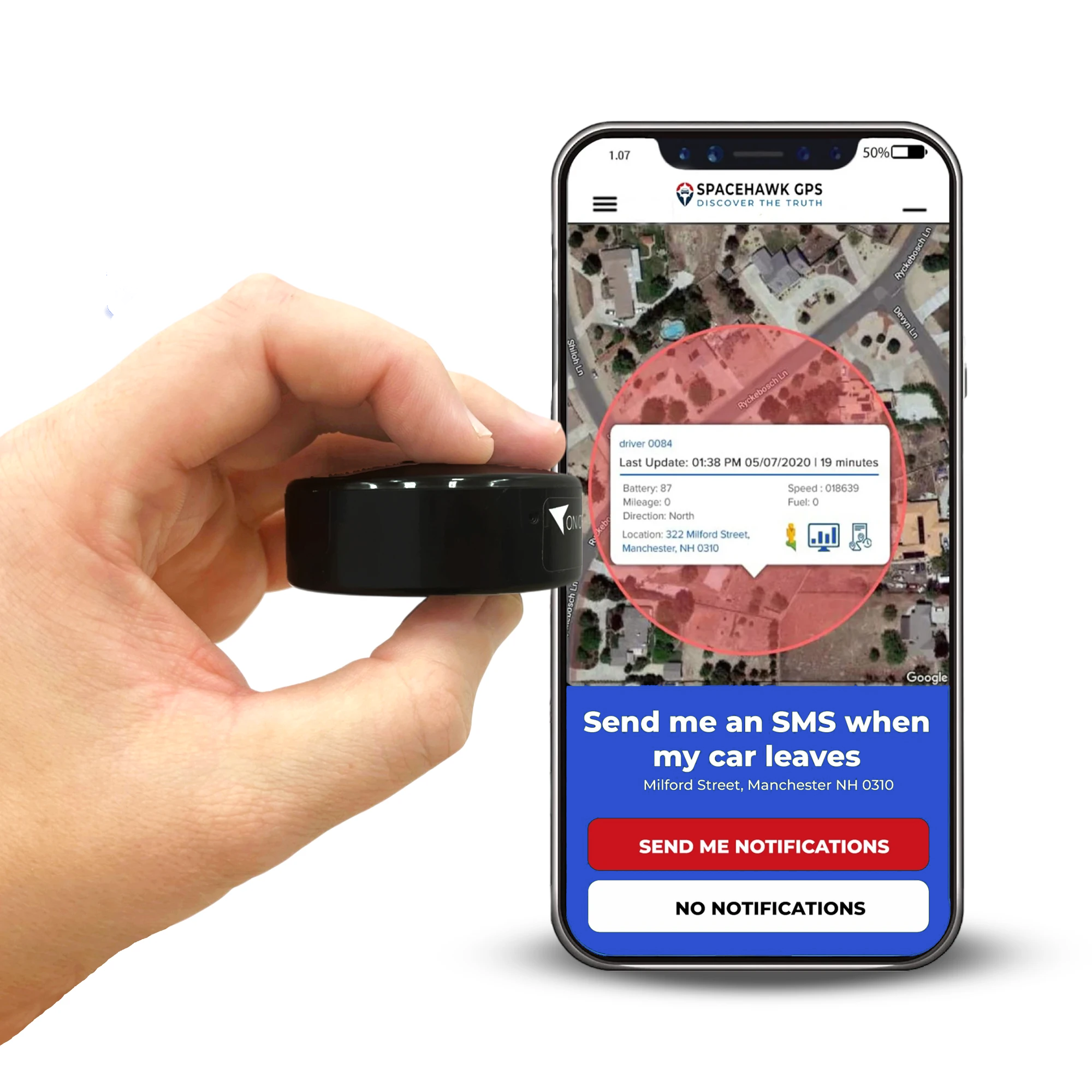
SpaceHawk Mini with 3-second live tracking, IP67 build, lifetime warranty and US-based support.

 Buy on Amazon