


How to Use GPS Trackers to Prevent Jobsite Equipment Theft
Key Takeaways
-
01 Jobsite theft peaks overnight and on weekends, when equipment sits unattended and nobody is watching it.
-
02 Trackers won't lock equipment down, but they tell you something is moving while you can still act.
-
03 Placement decides everything. Trackers found in under a minute get removed in under a minute.
-
04 Geofence and after-hours alerts fire the moment equipment moves when the site should be quiet.
-
05 Tracking fails on response, not hardware. Alerts nobody opens are the same as no tracker at all.
How to Use GPS Trackers to Prevent Jobsite Equipment Theft
Friday, 6 p.m. You chain the gate and head home. By Monday, the skid steer is gone. GPS trackers to prevent jobsite equipment theft change that timeline, because you hear about the move Friday night instead of Monday morning.
I'm Ryan Horban, and I've spent the last 15 years working with GPS vehicle trackers, fleet tracking devices, and commercial GPS tracking systems on real fleets. If you're here, you've probably locked up a site or a yard and wondered whether everything would still be there. I've made that same drive home plenty of times. One quiet night turns into missing equipment, lost days, and a replacement invoice.
Below, you'll see how trackers work on real jobsites and where they fail when set up wrong. You'll learn how to choose a tracker, place it so it survives a walk-around, and set alerts that catch trouble early.
Recommended for This Guide
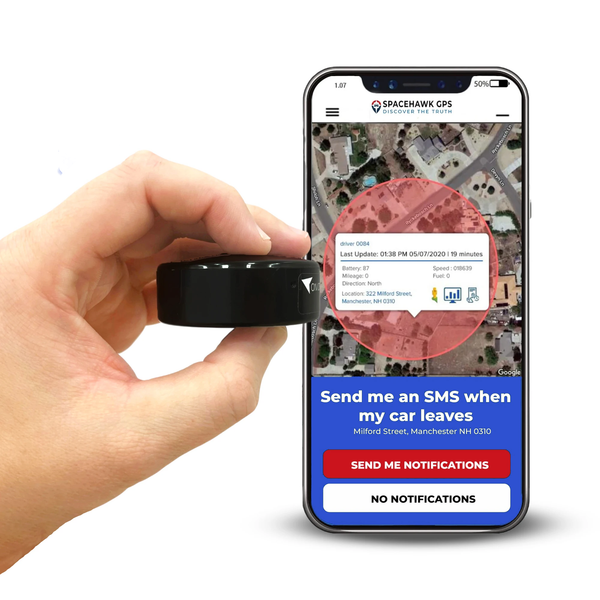
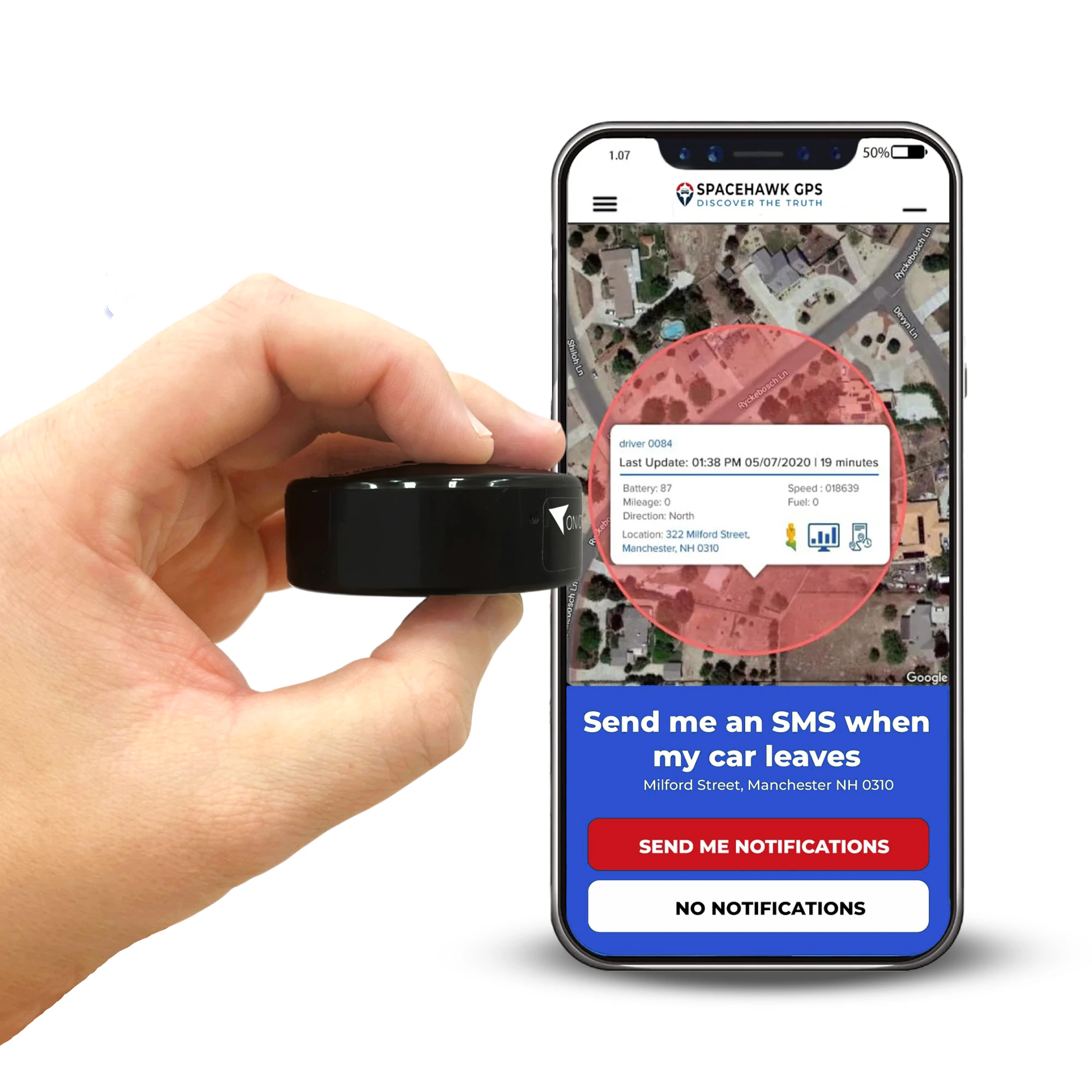
SpaceHawk Mini GPS Tracker
Sticks to trailers, generators, compressors, tool chests, and any machine without a diagnostic port. No wiring, no install bill.
In Short: Ryan Horban, GPS tracking expert at Fleet1st, says jobsite theft prevention comes down to five steps: pick a tracker built for equipment, hide it where a walk-around won't find it, set after-hours and geofence alerts, act on every alert fast, and layer in basic physical security. SpaceHawk Mini from Fleet1st covers the tracker piece for tools, trailers, and machines without a diagnostic port.
The short version: Five steps I use on real jobsites.
- Choose a tracker built for equipment, not for everyday vehicles
- Install it somewhere a quick walk-around won't find
- Set alerts for after-hours movement and geofence exits
- Act fast when an alert fires, because response time beats hardware
- Pair tracking with basic physical security instead of leaning on one layer
The framework works because it puts the weight on early detection and fast response. Small choices change the outcome on a live site, and the rest of this guide covers each one.
What Is Jobsite Equipment GPS Tracking?

One screen, every asset, wherever it happens to be.
Jobsite equipment GPS tracking means monitoring the live location of tools, machines, trailers, and other assets. Fleet1st's page on GPS trackers for construction equipment shows the full range.
In plain terms, you see where equipment is, and you get an alert when something moves that shouldn't. After hours is where that matters most, because the site is quiet and theft usually starts then. Set up properly, tracking gives you three things a map alone doesn't:
- Location for each asset, even once it leaves the site
- Live visibility the moment something starts moving
- Data you can act on now rather than days later
Used well, tracking moves you from reacting after equipment is gone to catching the move while there's still time to stop it.
Why Does Jobsite Equipment Theft Happen So Often?

Busy by day, wide open by night.
Friday afternoon, the crews leave, and the lot goes quiet. Thieves know that rhythm better than most site managers do. Construction sites pair high-value assets with low visibility, and temporary locations, rotating crews, and idle machines leave gaps.
Theft is rarely random. The same patterns repeat regardless of site size:
- Equipment sits idle overnight and across long weekends
- Sites move often, so asset monitoring never settles into a routine
- Replacement costs are high and recovery odds are low
- Cameras and locks slow a thief down without stopping a determined one
Most equipment is taken because nobody notices it moving. By the time somebody does, it's off the site.
According to the National Insurance Crime Bureau and the National Equipment Register's 2014 Equipment Theft Report, only 23 percent of stolen equipment came back, and the average estimated value of a stolen piece was $46,273. Recovery odds like that explain the urgency.
How Do GPS Trackers Actually Prevent Equipment Theft?

The alert is the product, and the map is just where you confirm it.
Trackers don't bolt equipment to the ground, and I want to be straight about that.
What they give you is visibility the moment something moves, and that early warning is the whole game. When a machine starts moving after hours, your tracking platform picks it up right away, not hours later when somebody notices an empty spot. In practice it comes down to three things:
- Live tracking that shows movement as it starts
- Geofence alerts when an asset leaves a defined site
- Response windows short enough to act while the load is still moving
Once a machine is loaded onto a trailer and down the road, your options narrow fast. Tracking works because it shortens that delay and hands you a chance to step in.
Quick math: NICB puts the average stolen piece at $46,273. SpaceHawk Mini costs $39.95, and its 1-minute plan runs $24.95 a month, or $299.40 a year, so year one totals $339.35. Spread against one average loss, tracking costs about 0.7 percent.
Step by Step: Using GPS Trackers on Jobsite Equipment
Where does tracking actually fail on a jobsite? Rarely because the technology is bad. Usually the wrong tracker went on the wrong asset, in the wrong place.
Step 1: Choose the Right Tracker for Jobsite Equipment

Not every GPS tracking device belongs on a construction site. I've used trackers that were fine on vehicles and gave up quickly once dust, vibration, and weather got involved. Four things decide it:
- Power source: Battery units suit trailers and tools. Hardwired units suit heavy equipment that runs daily.
- Reporting rate: Faster updates mean better visibility the moment something starts moving.
- Durability: Dust, vibration, moisture, and temperature swings are the normal week, not the exception.
- Coverage: Confirm the network works across the areas your sites actually sit in.
Trackers that can't survive an ordinary week on site won't protect anything on the night you need them.
Fleet1st carries four trackers that fit this job. Match the tracker to the asset, not the other way around.
| Tracker | What to know | Best on |
|---|---|---|
| SpaceHawk Mini ($39.95) | Magnetic and IP67 waterproof. Battery averages 2 to 3 weeks per charge, so charge it on a schedule. | Trailers, generators, compressors, tool chests |
| OutLaw Magnetic ($99.95) | Larger 4,240 mAh battery for long idle stretches. Movement, geofence, and speed alerts. | Trailers and equipment that sit for long periods |
| Everlast ($149.95) | Updates every 5 seconds with a big battery. Also the bulkiest unit, at about 3 lb. | Remote sites and long-term parked assets |
| Hardwired GPS Tracker With Kill Switch ($249.95) | Hardwired install with a remote starter disable. Not waterproof, so mount it inside the cab or an enclosure. | Daily-use heavy equipment on a 12/24V system |
Want test results across more models? Our roundup of the best GPS trackers for equipment compares price, battery life, and update speed. Compressors and generators are prime targets because they're portable and usually unpowered, and our air compressor GPS tracker guide covers that setup, including kill-switch wiring.
Step 2: Install It Where a Thief Won't Look

Placement gets skipped more than any other step, and it's where good setups fall apart. If I can find the tracker in under a minute, so can a thief. They check the same places every time, and they check them fast. Three rules keep yours hidden:
- Stay away from easy-access panels, quick-open covers, battery compartments, and obvious wiring runs
- On trailers, inside frame rails and structural sections work best
- On heavy equipment, internal cavities beat exterior mounts every time
My test is simple: if somebody can undo the install in five seconds with a screwdriver, it prevents nothing. Good placement buys the time your alerts need. Magnets deter casual theft but not determined thieves, so tuck the tracker into a frame cavity instead of an open panel. For machine-specific placement, see our guide to a GPS tracker for an excavator.
Step 3: Set the Alerts That Stop Theft Early

Alerts are the make-or-break point, and I've watched good systems get ignored into uselessness. You don't need every alert a platform offers. You need the ones that say something is happening right now:
- After-hours movement: Equipment moving when the site should be quiet
- Geofence exit: Machines crossing the boundary you drew around the site
- Power loss: Somebody cutting or disconnecting a wired unit
- Tamper: Attempts to pull or disable the device
False alerts happen, and that's part of the deal. Muting alerts because a few were wrong is how equipment walks off unnoticed. You're trying to catch the one that counts. Draw the geofence slightly wider than the lot, because a boundary hugging the fence line can fire on GPS drift, and read how geofencing works in GPS trackers before you set yours.
One honest limit: not every tracker sends every alert above. The SpaceHawk Mini page lists geofence and speed alerts rather than tamper alerts, so check each spec page against your list.
Step 4: Act Fast When an Alert Fires

Response speed is where tracking proves its value or becomes background noise. Confirm what's happening, then move, in this order:
- Confirm the movement isn't authorized or scheduled
- Check the live location to see whether the asset is still moving
- Call the site manager or nearest crew to verify on the ground
- Escalate straight away if the equipment is in transit or leaving the area
- Hand police the live address and the equipment's serial number
I've seen equipment recovered inside an hour because somebody acted. I've also watched recoveries fail because the alert sat unopened overnight.
Looking for trackers built for the whole site? Browse Fleet1st's range for trailers, tools, and heavy machines.
See GPS Trackers for Construction EquipmentWhen Does GPS Tracking Work Best, and When Does It Struggle?
Think of tracking like a smoke alarm: it only helps if someone hears it and knows what to do. GPS works extremely well on some sites and falls flat on others, and the difference is almost always how the site runs and how the rules were set, not the hardware.

The hours that decide whether tracking earns its keep.
Read the two columns below against your own operation. If most of your answers land on the right, the fix is process rather than a different tracker.
Works best when
- Equipment stays inside defined job sites most of the time
- Assets rarely move after hours without notice
- Alerts reach somebody who can act on them quickly
- One named person owns the response
Struggles when
- Equipment rotates constantly with no tracking rules
- Alerts get muted because they feel inconvenient
- Sites sit in remote areas with patchy network coverage
- Nobody is clearly responsible for responding
Both right-hand answers are setup problems rather than technology failures. With clear rules and real follow-through, GPS tracking is one of the most reliable theft-prevention tools available. Used casually, it becomes an expensive map you check after the damage is done.
Covering trailers, generators, and tool chests as well as machines? SpaceHawk Mini moves between assets in seconds and needs no install.
See SpaceHawk MiniBest Practices for GPS Tracking on Construction Jobsites

Weekly reviews of the data catch patterns early.
After years of running tracking on live sites, I've noticed a few habits separate the teams that prevent theft from the teams that recover from it. None of them needs extra hardware, just proper use of what you already own.
Treat tracking as an everyday tool, not something you configure once and forget. Six habits do most of the work:
- Start with your highest-value or most frequently moved equipment
- Rotate trackers when your inventory is larger than your device count
- Pair tracking with basic locks, signage, and visible deterrents
- Review the data weekly, because patterns show up before losses do
- Assign one named owner for alerts so somebody is always responsible
- Redraw geofences as sites change instead of leaving one fixed setup
One counter-intuitive pick for the first few trackers: NICB's 2014 list put riding mowers first at 5,051 thefts, with loaders second at 1,907, so mowers and skid steers deserve a tracker before an excavator does. Landscaping crews can start with our guide to the best GPS trackers for landscaping.
Common Mistakes That Make GPS Tracking Ineffective

Notifications nobody opens defeat the whole system.
Monday morning, the overnight alert is still sitting unread. The trailer it flagged left the lot at 2 a.m.
Most tracking failures I've seen have nothing to do with hardware. The trackers work. How people use them, or don't, is the problem. I made some of these mistakes myself early on, and I still see them on active sites. Four cause the most trouble:
- Installing trackers, then rarely opening the alerts or location history
- Switching off geofence alerts because they feel inconvenient
- Assuming tracking replaces on-site awareness and crew communication
- Treating recovery as good enough instead of aiming at prevention
If your tracker only helps after the equipment is already gone, the setup needs attention rather than the hardware.
GPS Tracking Against the Other Theft-Prevention Options
Think of site security as layers of a lock rather than a single door. I wouldn't treat tracking as a silver bullet. I've worked on sites with cameras, locks, and immobilizers, and each one helps while leaving a gap.

Layers, not a single point of failure.
The common options play out like this once they meet a real theft rather than a brochure:
| Option | What it does well | The gap |
|---|---|---|
| Cameras | Documents what happened for insurance and investigation. | Does nothing to stop equipment leaving the site. |
| Locks and chains | Slows a thief down and deters casual attempts. | No alert at all when somebody cuts through. |
| Immobilizers | Can stop a machine being driven off under its own power. | Only fits certain machines, and only works if maintained. |
| GPS tracking | Tells you something moved and where it is heading, while it is still moving. | Only as good as the person who opens the alert. |
Tracking pulls the other layers together. Cameras and locks work on the site itself, while GPS follows the asset once it leaves. I've had the best results running tracking alongside basic physical security. If you want an immobilizer in the same box, Fleet1st's Hardwired GPS Tracker With Kill Switch adds a remote starter disable at $249.95. Disabling the starter keeps the machine from restarting once it's shut off, which is a different job than stopping an engine that's already running.
Final Thoughts
Equipment theft rarely comes down to bad luck. Visibility and timing decide it. When nobody knows something is moving until the next morning, you're already behind: an empty spot on the site, a run of confused phone calls, and a long list to replace. Tracking flips that order, so you find out first instead of the Monday crew.
SpaceHawk Mini changes the shape of that morning. Magnetic mounting grabs almost any metal asset, the 4G LTE connection reports location as often as every 3 seconds on the fastest plan, and geofence alerts reach your phone, so police get a live address while the load is still moving. The crews that do this well assign one person to answer alerts and review the map every week.
After 15 years running GPS tracking on real construction sites, I treat it like locking the gate at night: part of the routine, never a one-time project. Nobody has to think about the gate, and that's exactly the point.
Cut the risk, protect the equipment, and make the drive home easier.
Know the Moment Your Equipment Moves
Every Jobsite Is Different. Find the Right Tracker.
See All GPS Tracking Solutions from Fleet1st
 Buy on Amazon