


What Is an ELD? FMCSA ELD Mandate & Compliance Guide (2026)
Key Takeaways
-
01Electronic Logging Devices automatically record Hours of Service by connecting directly to a vehicle's engine.
-
02Most commercial drivers required to maintain Records of Duty Status must use a compliant ELD device.
-
03Short-haul drivers, pre-2000 engines, and certain operations may qualify for ELD mandate exemptions.
-
04ELDs replace paper logs with accurate electronic records that reduce errors and improve FMCSA compliance.
-
05GPS tracking complements ELD compliance by improving fleet visibility, vehicle monitoring, and operational efficiency.
What Is an Electronic Logging Device (ELD)? FMCSA Rules, Compliance Exemptions Guide
Searching for reliable information about Electronic Logging Devices (ELDs) can quickly turn into hours of reading FMCSA regulations, conflicting advice, and technical jargon. One source says you need an ELD, another lists exemptions, and before long, it's hard to tell which rules actually apply to your operation.
I've worked with fleets for years, and I've heard the same question countless times, "Do I actually need an ELD?"
This guide gives you clear, practical answers. You'll learn how ELDs work, what they record, who must use one, when Records of Duty Status (RODS) are required, which drivers qualify for exemptions, and how to choose an ELD device.
By the end, you'll understand the requirements, know what applies to your operation, and feel confident about staying compliant.
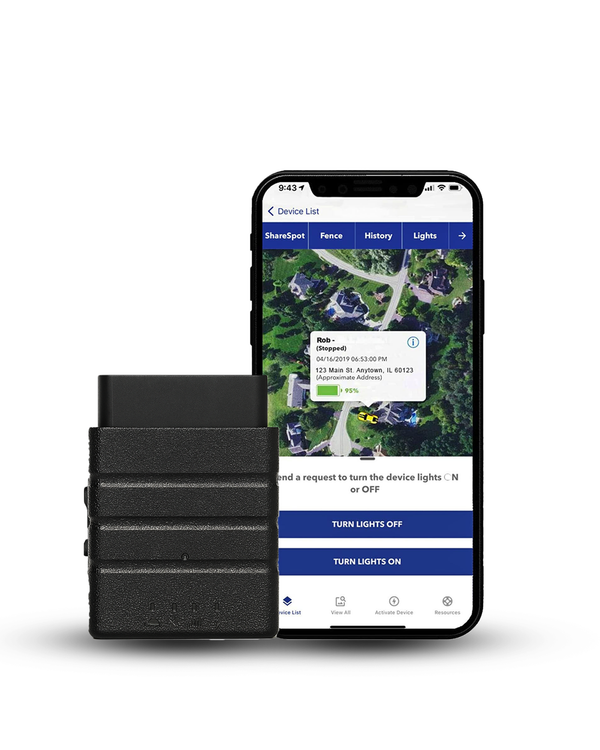
Recommended for this guide
Track More Than Hours. See Every Vehicle Live.
While your ELD logs Hours of Service, Konnect OBD2 adds real-time vehicle location, geofence alerts, trip history, and driver behaviour, plugs into any OBD-II port in seconds.
Watch a real review of Konnect OBD2 GPS Tracker | Setup, live tracking, and daily use experience
What Is an ELD (Electronic Logging Device)?
An Electronic Logging Device (ELD) is a hardware device that connects to a commercial vehicle's engine to automatically record driving time and other Hours of Service (HOS) data required by the Federal Motor Carrier Safety Administration (FMCSA). Instead of relying on paper logs, an ELD creates electronic records that help commercial drivers and motor carriers stay compliant with federal regulations.

If you're new to ELDs, think of one as a digital logbook. Once it's connected to your vehicle's engine control module (ECM), it automatically records:
- Driving time
- Engine hours
- Miles driven
- Driver duty status
- Vehicle location at required FMCSA events
I've helped fleets transition from paper logs to ELDs, and the biggest difference is how much easier compliance becomes. Drivers spend less time on paperwork, fleet managers get more reliable records, and roadside inspections usually go much more smoothly.
Although the primary purpose of an ELD is Hours of Service compliance, many ELD systems also include GPS tracking, fleet management tools, and real-time reporting. Those features aren't required for FMCSA compliance, but they add value if you want better visibility into your fleet.
What Does an ELD Record?
An ELD record includes the key information needed to comply with Hours of Service (HOS) regulations. Because an Electronic Logging Device (ELD) connects directly to your vehicle's engine, it automatically captures driving data instead of relying on manual paper logs.

If you're wondering what information an ELD actually tracks, here's what it records:
- Date and time: Creates a timestamped record of driving activity to support accurate Hours of Service (HOS) logs.
- Engine hours: Monitors how long the vehicle's engine has been running to help verify driving records.
- Vehicle movement: Automatically detects when the vehicle starts and stops moving, reducing the need for manual log entries.
- Miles driven: Records the distance traveled to maintain accurate trip and duty records.
- Driver identification: Associates each log with the correct driver to ensure accountability and compliance.
- Duty status: Tracks changes between Driving, On Duty, Off Duty, and Sleeper Berth throughout the workday.
- Vehicle location: Records location data at key intervals required under FMCSA regulations, helping verify driving activity during inspections.
I've found that many drivers assume an ELD records everything about a trip. ELD doesn't. The device automatically captures data from the vehicle while drivers remain responsible for updating their duty status and certifying their logs.
That combination creates more accurate, tamper-resistant records and makes ELD compliance much easier to manage.
Electronic Logging Device (ELD) vs. Paper Logbooks
The biggest difference is that paper logbooks require drivers to manually record their Hours of Service (HOS), while an Electronic Logging Device (ELD) automatically records driving time by connecting to the vehicle's engine. This reduces manual paperwork, improves log accuracy, and makes ELD compliance easier.
| Paper Logbooks | Electronic Logging Device (ELD) |
|---|---|
| Manual recordkeeping | Automatic driving records |
| Greater chance of calculation errors | Automatically records driving time |
| Can be lost or damaged | Secure electronic records |
| Slower roadside inspections | Faster log verification |
| More paperwork | Less manual administration |
Many drivers are hesitant to switch from paper logs, but most find an ELD easier to use after a short time. Automatic driving records reduce logging errors and make roadside inspections faster because records are organized and ready to transfer.
Paper logs are still allowed in certain situations, including approved ELD mandate exemptions and temporary ELD malfunctions. For most commercial drivers, however, electronic logging has become the standard.
Following the regulatory requirements of the ELD mandate is essential to avoiding costly fleet violations. For the official government guidelines, performance standards, and foundational details directly from the regulators, see the official FMCSA documentation.
Read the Official FMCSA ELD Rule GuidelinesWho Needs an ELD?
Most commercial motor vehicle (CMV) drivers who are required to maintain Records of Duty Status (RODS) must use an Electronic Logging Device (ELD). If you're required to keep Hours of Service (HOS) logs and don't qualify for an ELD mandate exemption, federal regulations generally require you to use an ELD.

I hear this all the time, "Does every commercial truck need an ELD?" The answer is NO. The requirement depends on how your vehicle is used, whether you're operating in interstate commerce, and if your operation qualifies for an FMCSA exemption.
An ELD is typically required if you:
- Operate a commercial motor vehicle in interstate commerce.
- Maintain Records of Duty Status (RODS).
- Don't qualify for an FMCSA exemption.
- Operate beyond the short-haul exemption limits.
This applies to many owner-operators, long-haul carriers, private fleets, regional carriers, and other motor carriers subject to Hours of Service regulations.
Compliance platforms aren't the only way to monitor your vehicles and mobile workforce. For a full breakdown of non-compliance tracking tools, mobile applications, and portable hardware solutions, check out our comparative overview.
Read Employee GPS Trackers | Apps, Portable & Vehicle OptionsWhat Is the ELD Mandate?
The ELD mandate is an FMCSA regulation that requires most commercial drivers who must maintain Hours of Service (HOS) records to use an Electronic Logging Device (ELD) instead of paper logbooks. The goal is to improve log accuracy, simplify ELD compliance, reduce driver fatigue, and enhance road safety.

The rule was introduced in 2015 and became mandatory for most affected carriers on December 18, 2017. Drivers who qualify for an ELD mandate exemption are not required to use an ELD.
To comply with the ELD rule, an ELD must:
- Connect to the vehicle's engine.
- Automatically record driving time.
- Allow drivers to certify their logs.
- Transfer logs during roadside inspections.
- Meet FMCSA technical requirements.
One common misconception is that the ELD mandate changed Hours of Service limits. It didn't. The HOS rules stayed the same. The mandate simply changed how qualifying drivers record and transfer their driving hours.
ELD Mandate vs. Hours of Service (HOS) Rules
The main difference is that Hours of Service (HOS) rules define how long commercial drivers can drive and when they must rest, while the ELD mandate defines how eligible drivers record those hours using an Electronic Logging Device (ELD).
| Hours of Service (HOS) Rules | ELD Mandate |
|---|---|
| Set limits on driving and rest periods. | Requires eligible drivers to record those hours electronically. |
| Define when a driver can legally operate a vehicle. | Defines how qualifying drivers document their driving time. |
| Apply to commercial drivers subject to HOS regulations. | Applies to drivers required to use an ELD under FMCSA rules. |
Many drivers assume an Electronic Logging Device (ELD) automatically keeps them compliant. An ELD records driving time, but drivers must still follow Hours of Service (HOS) limits, update their duty status, and certify their logs. ELD compliance depends on both accurate records and following FMCSA regulations.

What Are the ELD Mandate Exemptions
Not every commercial driver is required to use an Electronic Logging Device (ELD). The FMCSA provides several ELD mandate exemptions for drivers and vehicles that meet specific criteria, including:
- Short-haul exemption: Drivers operating within the FMCSA short-haul limits, generally within 150 air miles, may not need an ELD if they meet all exemption requirements.
- Driveaway-towaway operations: Vehicles that are the commodity being transported are generally exempt.
- Pre-2000 engines: Commercial vehicles with engines manufactured before model year 2000 are generally exempt from ELD requirements.
- Limited RODS use: Drivers who use paper logs for no more than 8 days in any rolling 30-day period may qualify for an exemption.
An exemption doesn't remove your Hours of Service (HOS) obligations. ELD exemptions only change how you record your duty status and driving hours. One detail that's often misunderstood is the pre-2000 exemption that is based on the engine's model year, not the truck's model year. If you're unsure, verify the engine information before assuming your vehicle qualifies.
What Are the Requirements for ELD Compliance?
ELD compliance means using an FMCSA-compliant Electronic Logging Device (ELD) correctly and keeping accurate Hours of Service (HOS) records. It's not enough to install an ELD. Drivers and motor carriers must use it properly, maintain accurate logs, and follow FMCSA regulations every day to avoid violations.

Both drivers and carriers have responsibilities when it comes to staying compliant.
| Drivers | Carriers |
|---|---|
| Log into the correct driver profile before operating the vehicle. | Install and maintain FMCSA-compliant ELD devices. |
| Review and certify daily logs. | Train drivers on proper ELD use and company policies. |
| Update duty status whenever required. | Monitor logs regularly and resolve errors promptly. |
| Report ELD malfunctions as soon as they occur. | Keep required records and repair or replace malfunctioning devices within FMCSA guidelines. |
Common Compliance Mistakes
Most ELD violations result from everyday mistakes, not faulty technology. Avoiding these common errors can help reduce violations during roadside inspections and compliance audits.
- Using the wrong driver profile: Assigns driving time to the wrong driver and creates inaccurate Records of Duty Status (RODS).
- Skipping daily log certification: Uncertified logs can lead to incomplete records and inspection violations.
- Not updating duty status: Drivers must keep their duty status accurate throughout the day, even though an ELD records driving time automatically.
- Ignoring ELD malfunctions: Report device issues immediately to prevent missing records and compliance problems.
- Assuming you qualify for an exemption: Always confirm you meet FMCSA requirements before relying on an ELD mandate exemption.
If an ELD malfunctions, notify your carrier promptly and follow FMCSA procedures. Drivers can temporarily use paper logs until the device is repaired or replaced, when permitted.

From my experience, the fleets with the fewest compliance issues are the ones that review logs regularly, train drivers consistently, and correct small mistakes before they become violations.
How to Choose the Right ELD Device
The best ELD device is one that meets FMCSA requirements, is easy for drivers to use, and fits the way your fleet operates. While every business has different needs, choosing a reliable, compliant system can save time, reduce paperwork, and make Hours of Service (HOS) management much easier.

When comparing ELD solutions, focus on these key features:
| Feature | Why It Is Needed |
|---|---|
| FMCSA compliance | Ensures the device meets federal ELD technical requirements. |
| Simple driver experience | Makes it easier for drivers to log in, update duty status, and certify records accurately. |
| Automatic Hours of Service tracking | Reduces manual logging and helps maintain accurate driving records. |
| Real-time GPS tracking | Gives fleet managers better visibility into vehicle locations and operations. |
| Reporting and alerts | Helps identify HOS violations, unassigned driving time, and maintenance reminders before they become larger issues. |
| Reliable customer support | Minimizes downtime when drivers need help or devices require troubleshooting. |
Questions to Ask Before Choosing an ELD
Choosing the right ELD device goes beyond meeting FMCSA requirements. Before making a decision, ask these questions:
- Is the device FMCSA certified and regularly updated?
- Is it easy for drivers to learn and use?
- Does it integrate with your fleet management or dispatch software?
- Can it generate reports for audits and roadside inspections?
- What support is available if the device malfunctions?
Price is only one part, but it shouldn't be the only factor. A reliable ELD should be easy to use, minimize compliance issues, and provide dependable support when you need it. The right solution helps your fleet stay compliant while making day-to-day operations more efficient.
Protecting your fleet requires pairing accurate log data with visual context on the road. To see how integrating video telematics with GPS history can safeguard your assets and provide undeniable video evidence, explore our comprehensive breakdown.
Read Dash Camera With GPS Tracker for Fleet Vehicles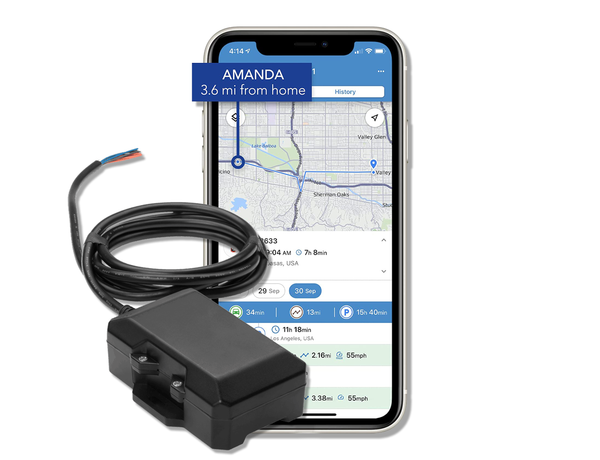
For fleets that need more than an ELD
Real-Time GPS + Remote Kill Switch for Every Truck.
Your ELD logs hours, this tracker shows exactly where every vehicle is right now and lets you remotely disable any truck the moment it's stolen or goes off-route.
Final Thoughts
Understanding what an ELD is and how the ELD mandate works can help you stay compliant with FMCSA regulations and avoid unnecessary violations. For most commercial drivers and motor carriers, an Electronic Logging Device (ELD) is the standard way to record Hours of Service (HOS) accurately while reducing paperwork and simplifying compliance.
The key is choosing an ELD that's reliable, easy to use, and built to support your day-to-day operations.
A compliant device not only helps you maintain accurate records, but also makes roadside inspections, audits, and fleet management more efficient. If you're evaluating ELD solutions, focus on more than just meeting the minimum requirements. Look for a system that helps drivers stay productive, gives fleet managers better visibility, and grows with your business.
Beyond compliance, fleet visibility plays a major role in improving day-to-day operations. The right GPS tracking solution helps you monitor vehicles and assets, streamline workflows, strengthen security, and make better business decisions.
A modern ELD system does much more than just log your hours and it also maps your fleet's live movements. For a complete look at how real-time live location tracking operates and how to choose the right hardware setup for your business, see our detailed guide.
Read How to Track Your Fleet in Real TimeReady to gain better visibility into your fleet? Explore Fleet1st's GPS tracking solutions or contact our team to find the right tracking device for your vehicles and assets.

 Buy on Amazon